 Vyrazíme
Friends and family in Vyrazíme
Friends from your events are saved for you and next time you invite them with one tap. Family holds your closest people, and children join with their age.
You head off with the same friends again and again. When the app knows them, you invite them to the next event, message them, and for a family with children it counts straight away how many of you are going.
Everyone from your events is in People in Vyrazíme, as the video shows, split into friends, acquaintances and family. You add your closest people to your family with their consent, and on each event you note who is coming with you, children and their ages included.

What Vyrazíme does
- Friends add themselves. Anyone who accepts your invite to an event is straight away among your friends, and so is anyone you message for the first time.
- Acquaintances from events. People you share an event with become your friends with one tap.
- A friend's profile. From here you message them, invite them to your family and see whether they have the mobile app.
- Family with consent. You invite a friend to your family and they become a member as soon as they accept.
- Children with their age. On an event you note how many adults and children are coming with you, and the age of each child.
- The numbers add up everywhere. The headcount carries over to the list of participants and to the accommodation search.
- Family in the packing list. When your family is coming with you, everyone has their own tab in the packing list.
Step by step
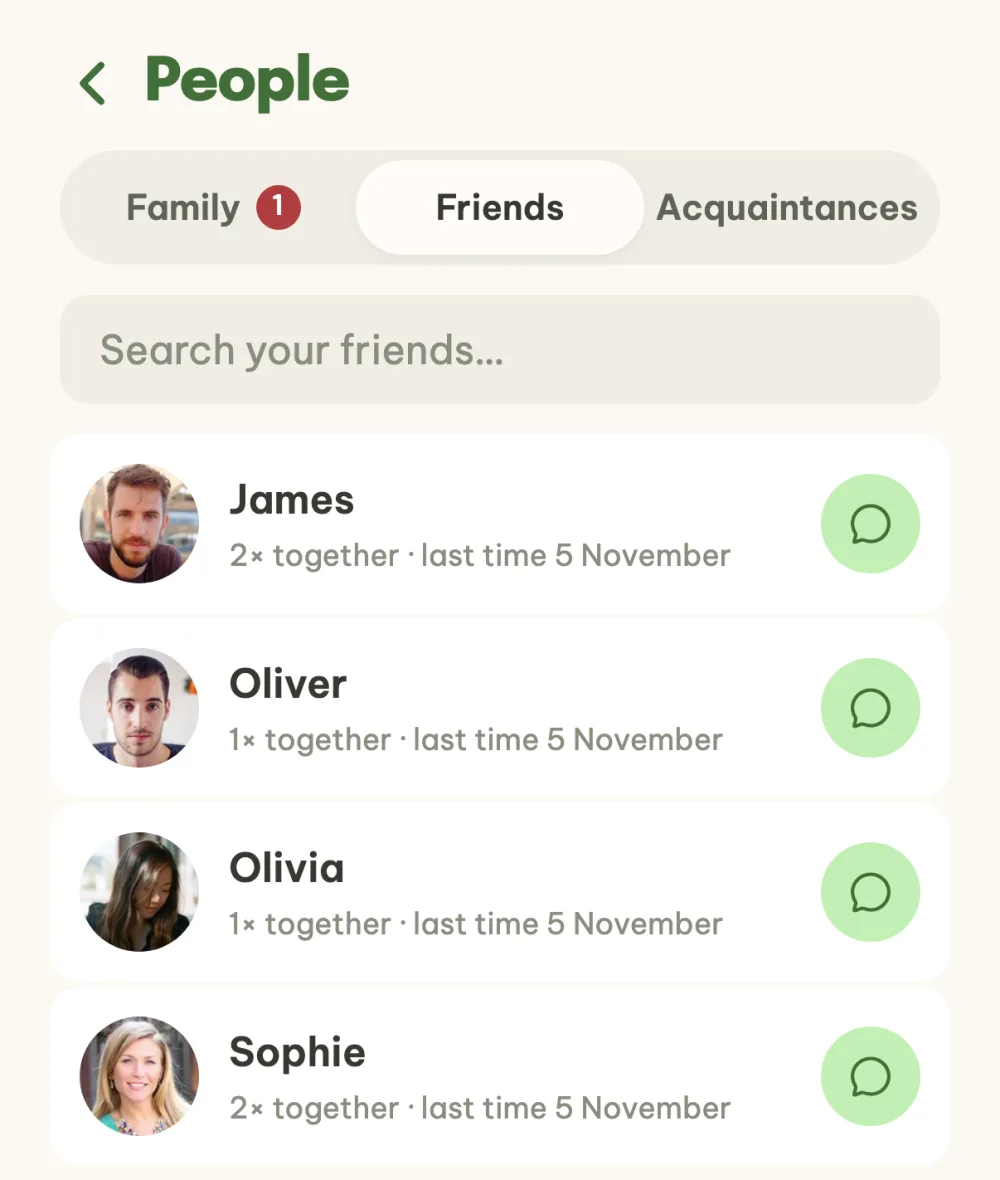
Open People. In the list of events, tap the people icon in the header. The Friends tab shows the people you know from events, along with how many times you have been together. The speech bubble button on the right messages a friend directly, and search is at the top.
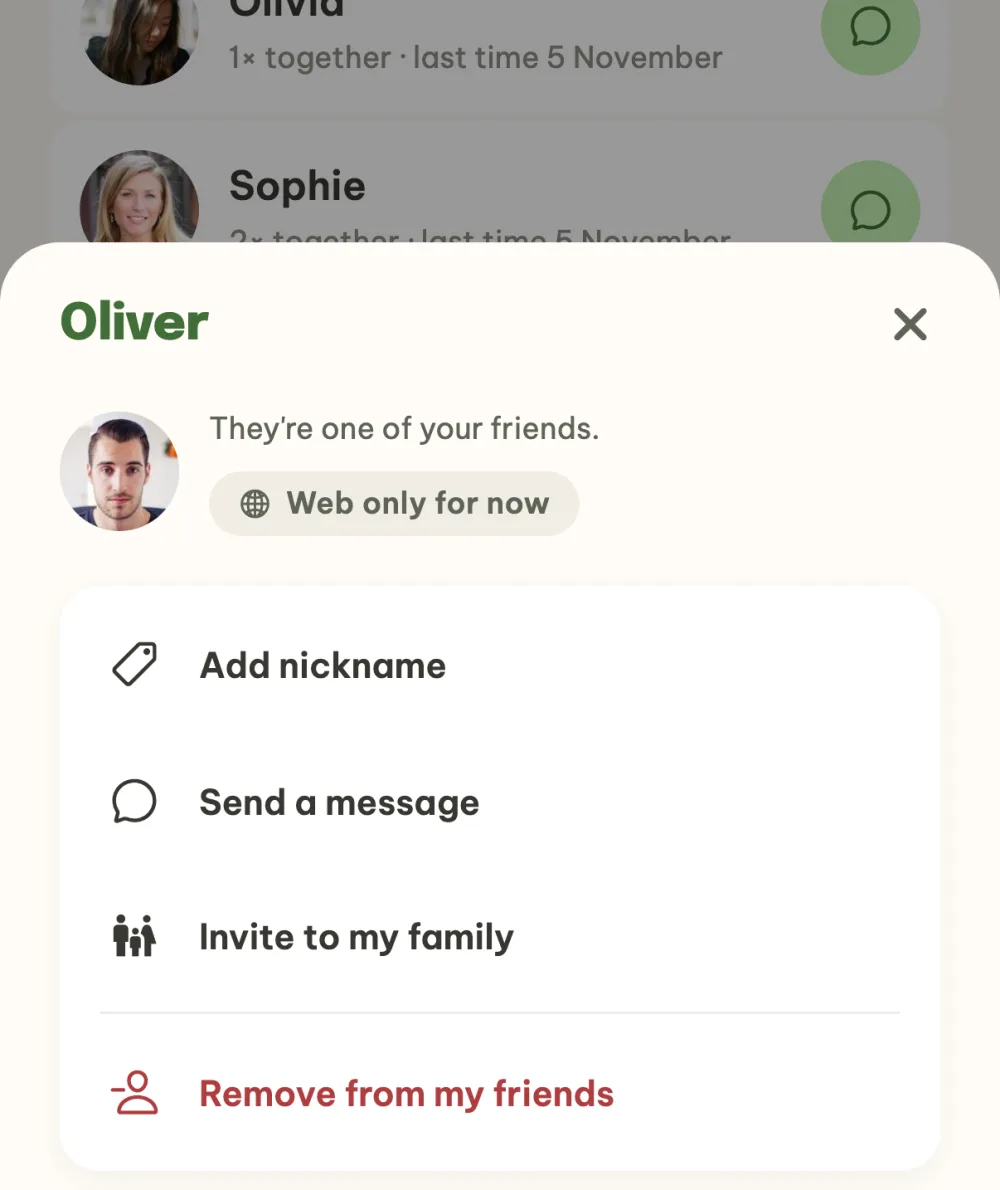
Open a friend's profile. Tapping a row opens the profile with the options Send a message and Invite to my family. The label under the name tells you whether your friend has the mobile app or is using the web for now. You can also open a profile from the event participants or by tapping an avatar in the chat.
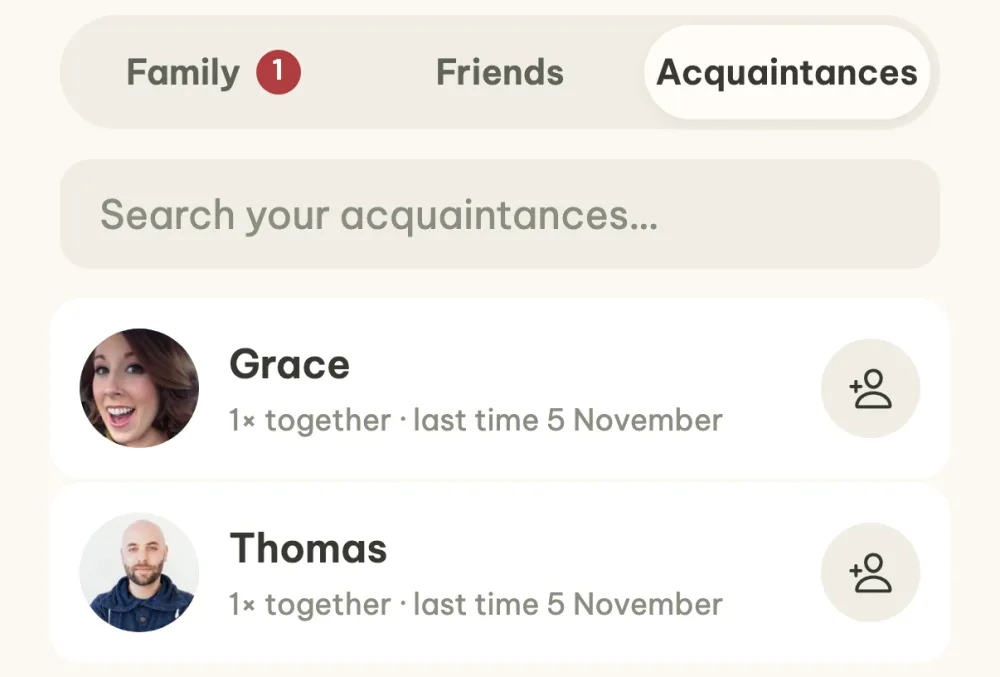
Add acquaintances as friends. The Acquaintances tab shows people you share an event with who aren't among your friends yet. The button on the right adds them, with no request or confirmation. The friendship works both ways.
Take a look at your family. At the top of the Family tab are the invites someone has sent you, with an Accept button, below them the confirmed family members and finally the invites you have sent, which you can cancel.
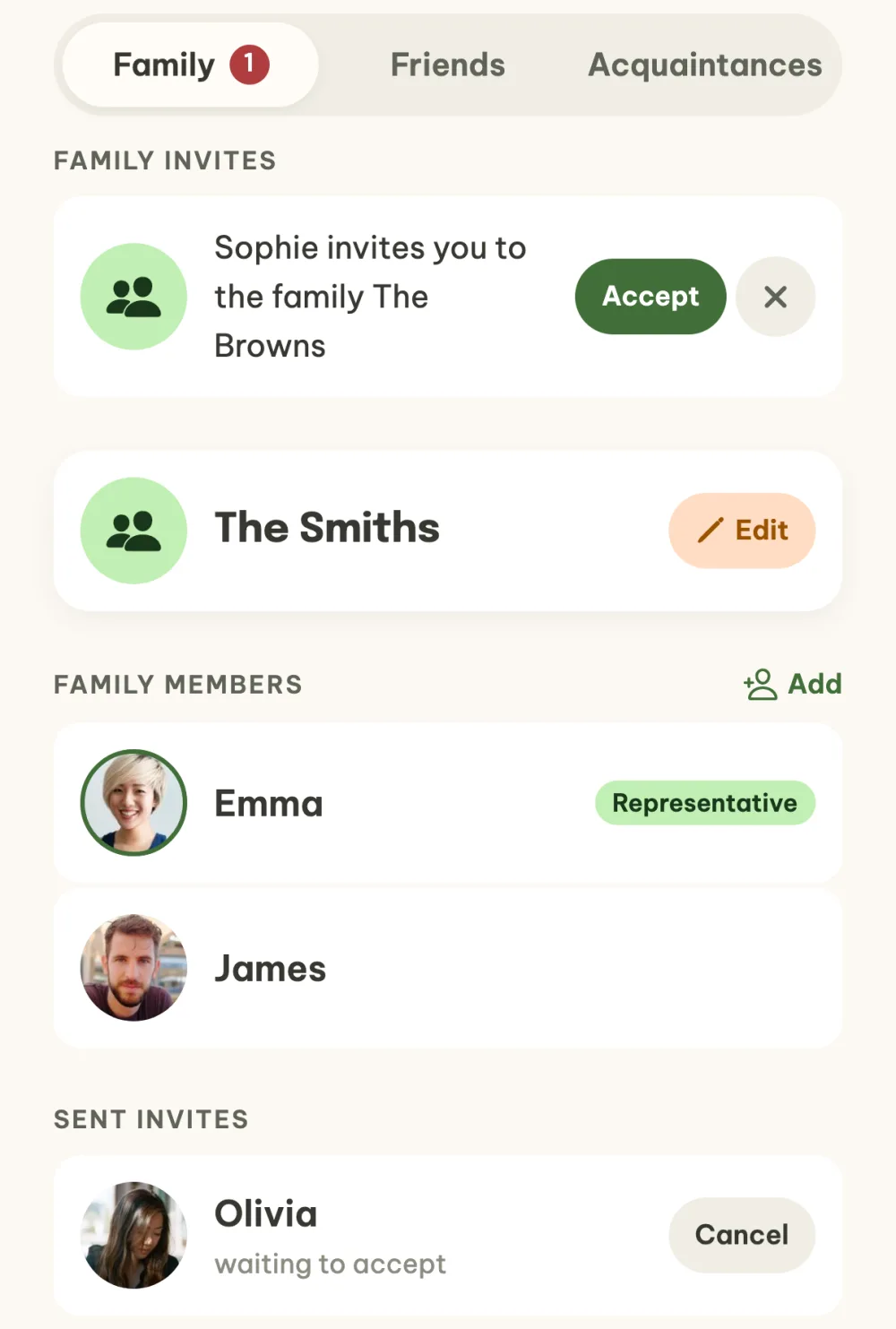
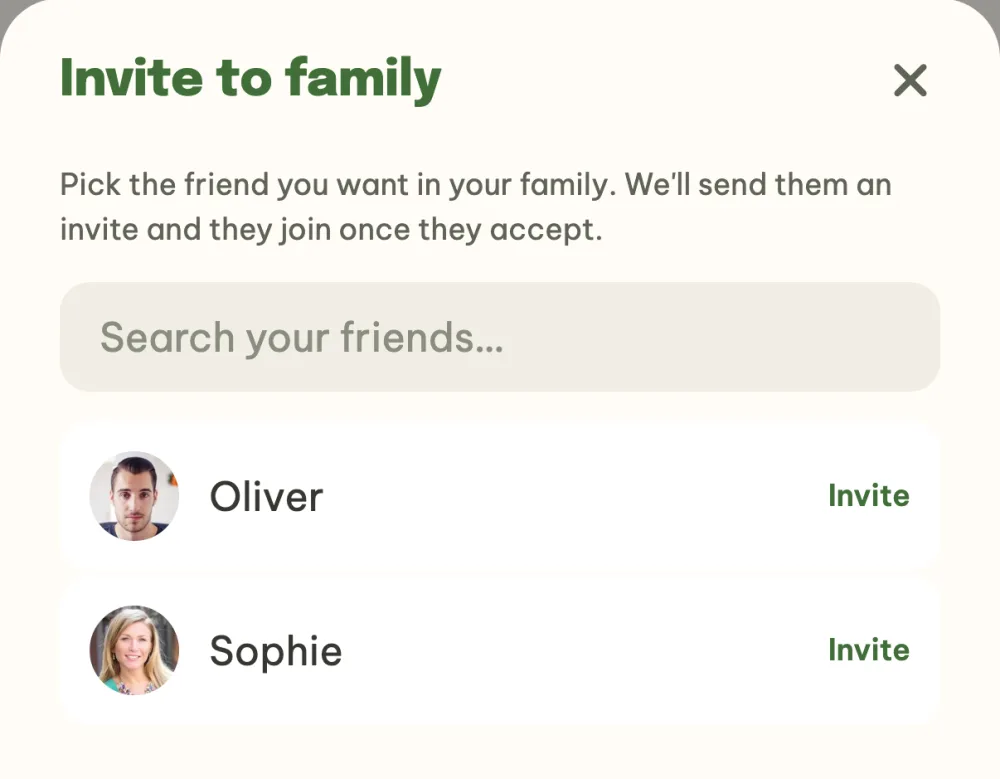
Invite a friend to your family. With the Add button on the Family tab you pick a friend and tap Invite, or you choose Invite to my family in their profile. They become a family member as soon as they accept.
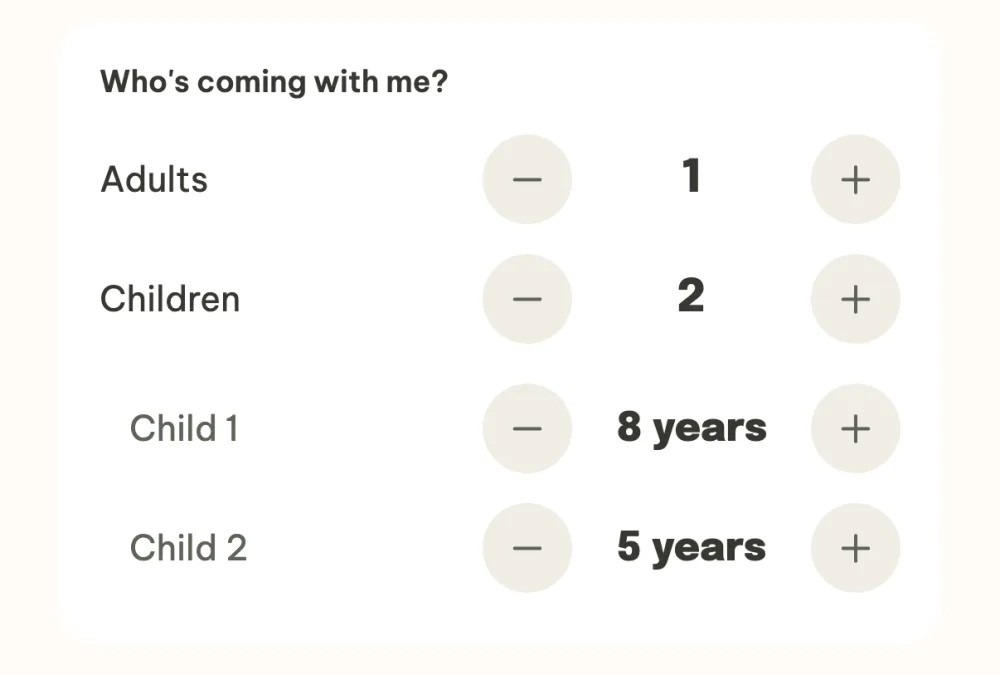
Note who is coming with you. In the event, tap the row of avatars under Who's coming, and in the list of participants tap your own row. In the Who's coming with me? section you set the number of adults, and the plus next to Children adds each child, whose age you then set. The number carries over to the heading of the list of participants and to the accommodation search.
FAQ
How do friends get added?
By themselves. When you invite someone to an event and they accept the invite, you are both among each other's friends. Anyone you message for the first time becomes a friend too, and you add anyone from the event participants through their profile with Add as a friend.
What is the family for?
Your family is your closest circle. When they come to an event with you, each family member has their own tab in the packing list next to yours and next to the shared items. More in the guide Packing list for a group trip.
How do I add a child who has their own account?
The child fills in their Date of birth in Settings. The app works out their age from it, and until 18 they count as a child on events: when splitting costs, in the accommodation search and in the packing list. Their name then shows a Child label, and only they can see the date of birth itself.
Do children pay when costs are split?
It depends on the event settings. The Split expenses with children too switch in the event settings decides whether each child counts as an adult in the even split. It is off by default, and a family with children pays the same share as everyone else. More in the guide How to split holiday costs with friends.
Who can change how many of us are going?
You on your own invite, and the organizer on every invite in the event. Just tap the row in the list of participants and adjust the adults and children in the Who's coming with me? section.