 Vyrazíme
How to split holiday costs with friends
Everyone adds what they paid, the app works out who sends how much to whom and offers Revolut. Step by step, how to split holiday costs fairly.
On a shared holiday everyone pays for something: one the apartment, another the petrol, a third the groceries and dinner. A fair split then means everyone pays exactly their share.
In Vyrazíme you do it as you go, as the video shows. Everyone adds what they paid, the app keeps track of the balance and at the end shows who sends how much to whom, with a payment via Revolut. Your settle-up is done as soon as you add the last cost.

What Vyrazíme does
- Everyone adds what they paid. What for, how much and who paid. At the top you see how much you have spent in total and whether you get money back or owe.
- Who paid for whom. You split a cost between everyone or only between selected people, for example for a trip only some of you went on.
- Foreign currencies. Czech crowns, euros, dollars, pounds, zlotys, francs, forints and lira. The Czech National Bank rate fills in by itself, you can overwrite it to match your bank, and once saved it is fixed for that cost.
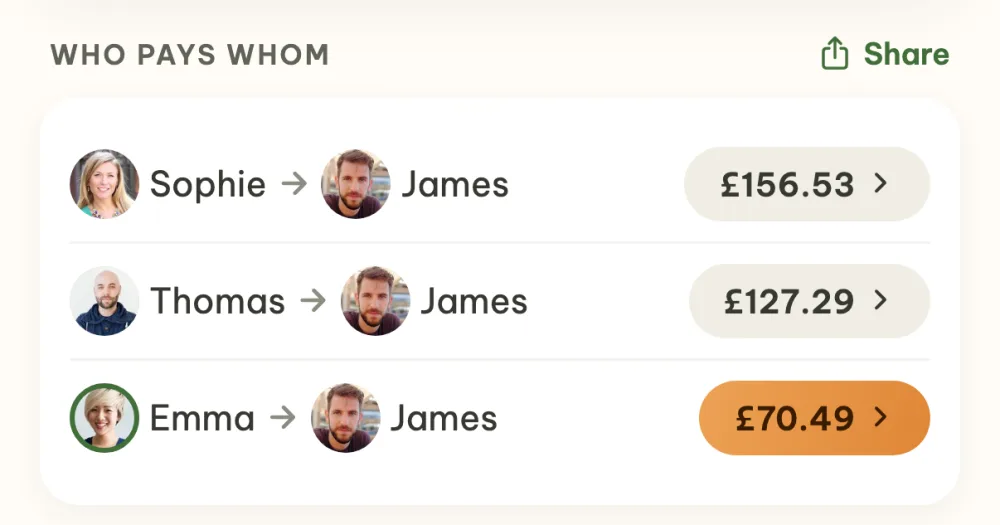
- Who pays whom. From the costs the app works out the shortest list of payments that settles you up.
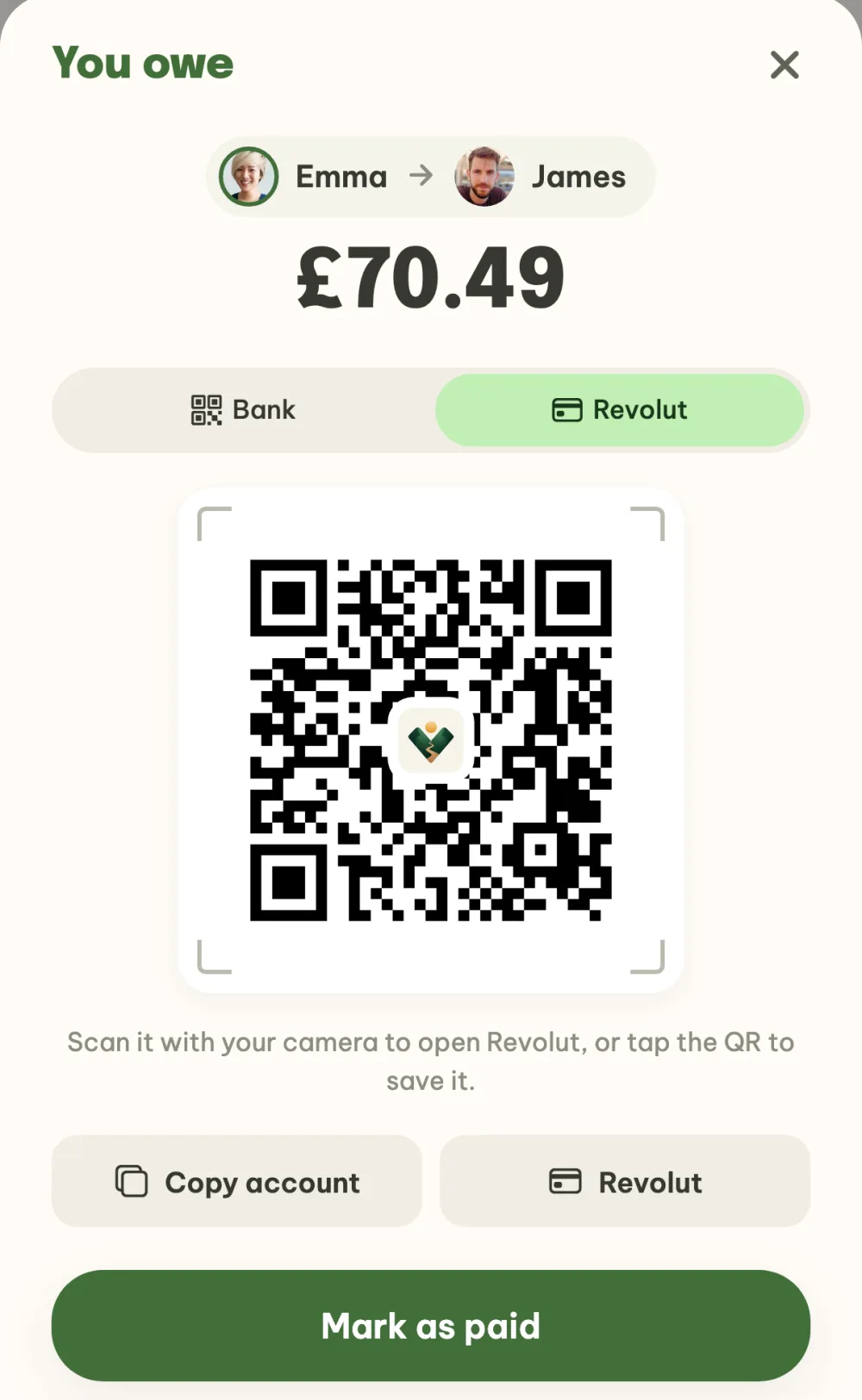
- Revolut and account number. Each payment has the account number to copy and a payment via Revolut, with a QR code you scan with your camera. You fill in your account once in your profile and it is used in all events.
- Mark as paid. The payer, the recipient or the organizer can mark a payment as paid and it moves to the Paid section.
- Summary in the chat. With the Share button you send your friends an overview of who sends how much to whom, with the total spent and a link to the app.
Step by step
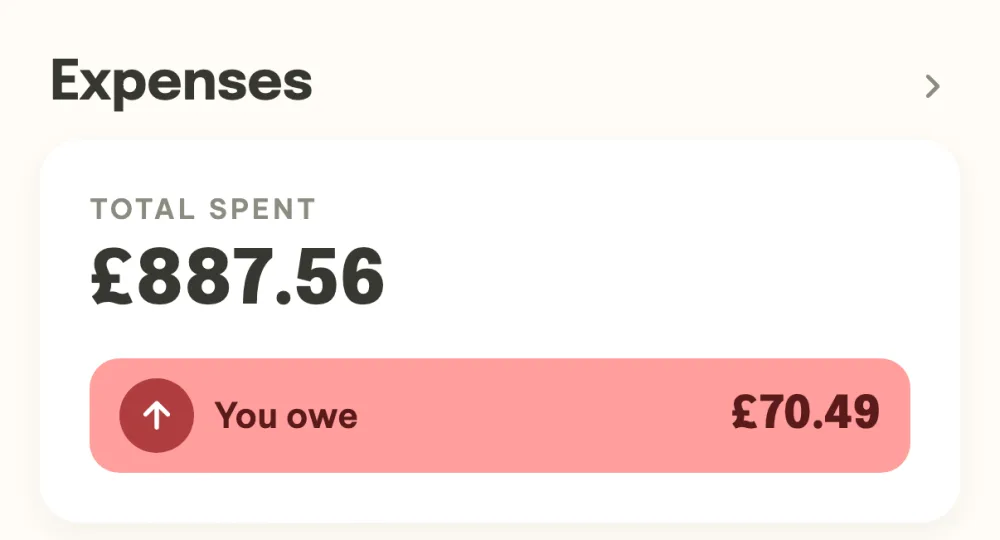
Open Expenses. In the event details there is the Expenses card with how much you have spent so far and your balance (You get back or You owe). Tap it to open the whole settle-up.
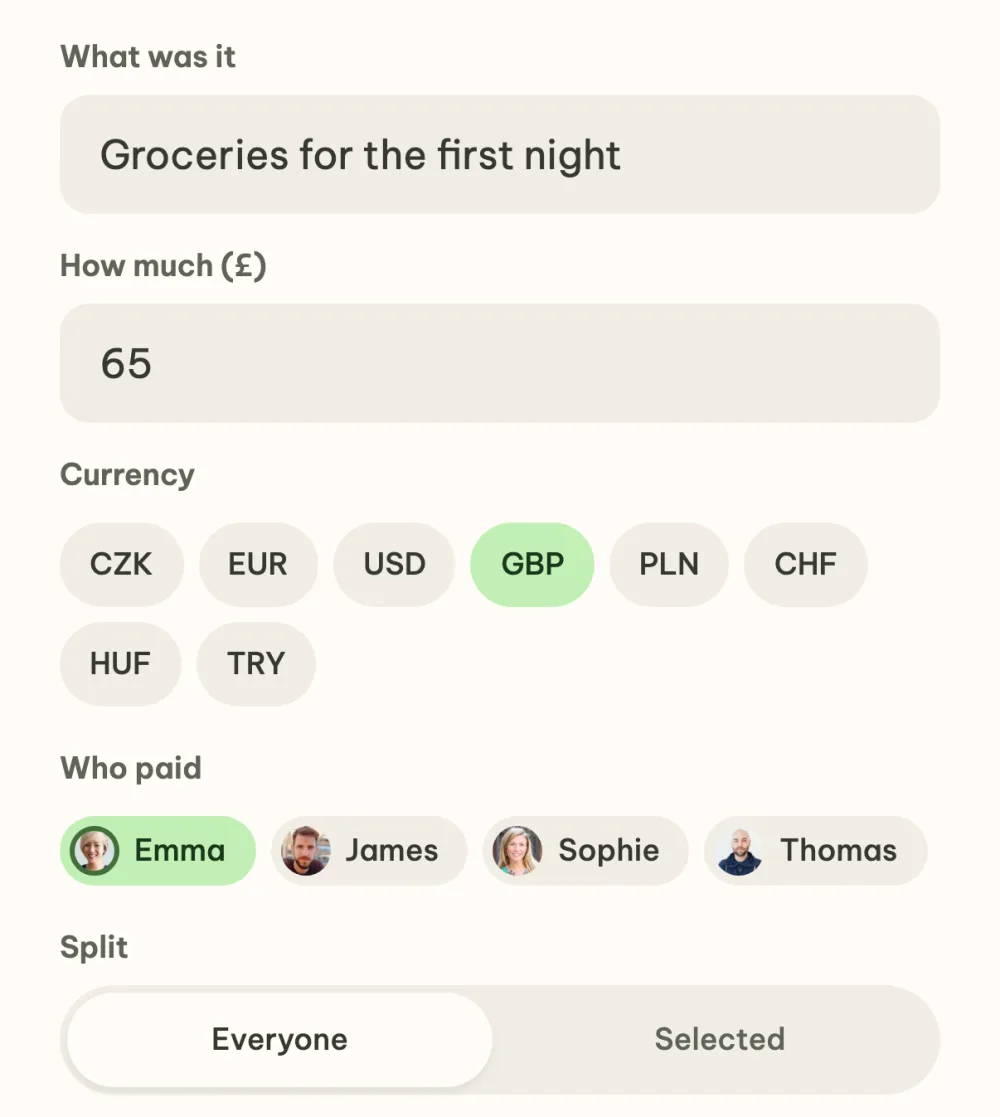
Add what you paid. Tap the plus at the bottom right. Fill in What was it and How much, choose who paid in the Who paid row and leave Split on Everyone. Save the cost with the Add cost button. Anyone in the event can add it, ideally straight after paying.
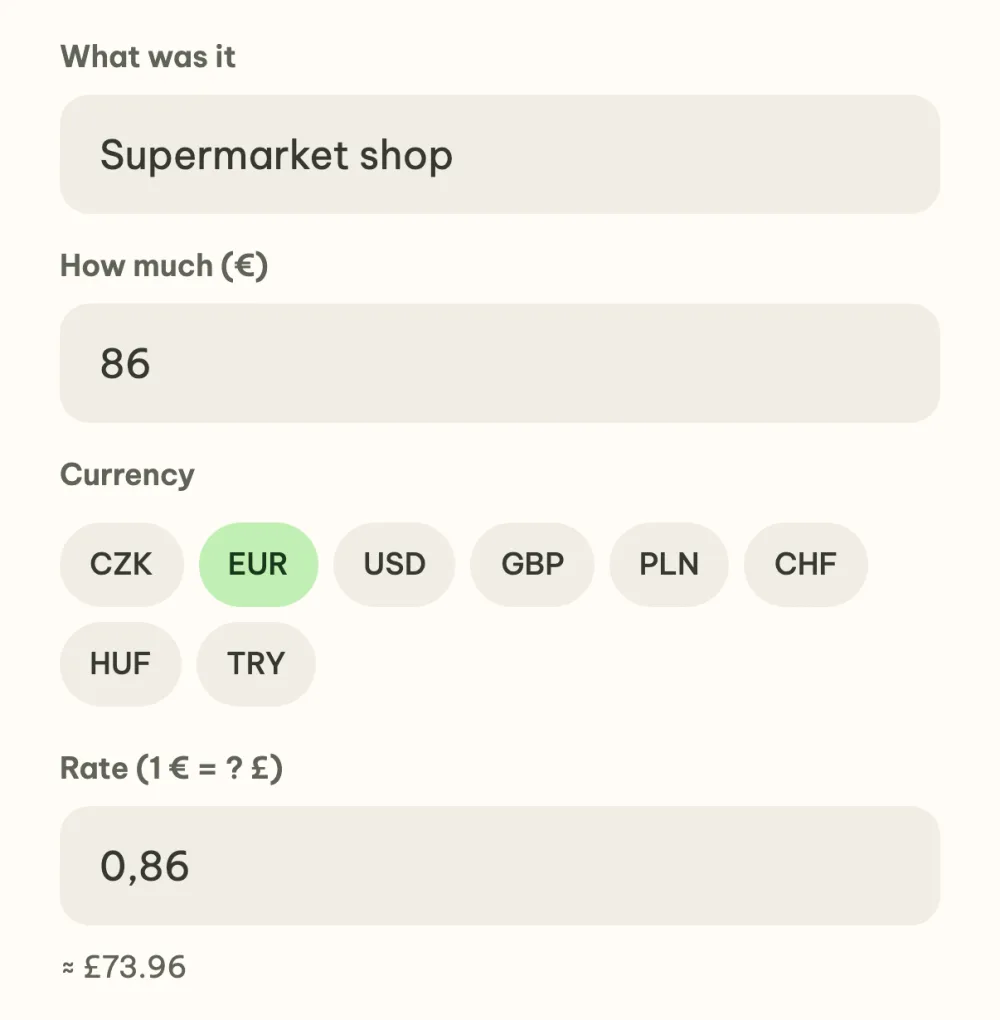
Paid in another currency? Switch it. In the Currency row choose EUR, for example. The app fills in the Czech National Bank rate and shows below it how much that is in pounds. You can overwrite the rate with what your bank charged you, and once saved it is fixed for that cost.
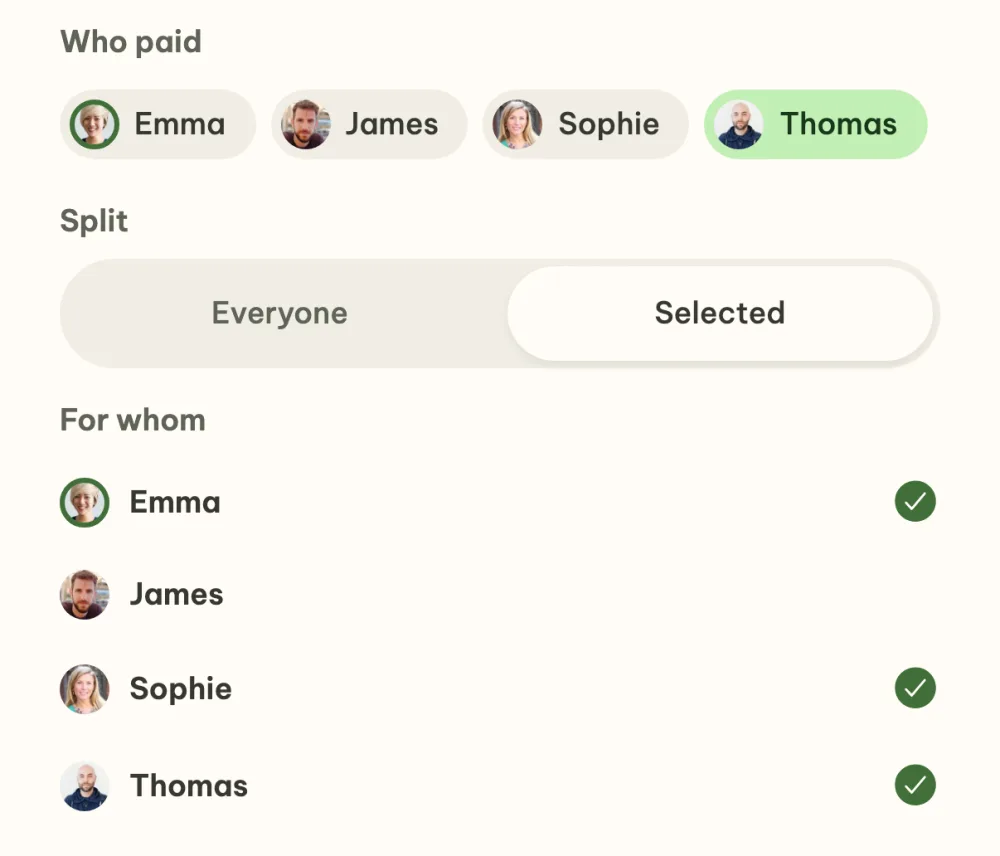
A cost for only some of you? Choose who. Switch Split to Selected and in the For whom list leave ticked only the people the cost applies to. It is split only between them.
See who pays whom. In the Who pays whom section the app shows as few payments as possible to settle you up. The Share button in the section header sends the overview to the chat where you talk with your friends. On a computer, the overview is copied.
Send the money via Revolut or to the account. Tap your payment. In the settlement window you scan the QR code with your camera to open Revolut, copy the account number, or open the payment in Revolut. If your friend has filled in both an account and Revolut, you switch between Bank and Revolut at the top. Once you have paid, tap Mark as paid.
FAQ
How does the app work out who sends how much to whom?
It adds up how much each person paid and how much of each cost falls on whom, and from the difference suggests as few payments as possible. The balance and the payments are in the settlement currency of the event, which the organizer can change in Event settings.
Does it work with euros and other currencies?
Yes, the app handles CZK, EUR, USD, GBP, PLN, CHF, HUF and TRY. The Czech National Bank rate fills in for each cost by itself and is fixed once saved, so later changes in the rate don't affect the settle-up. The bank QR code is read reliably only by Czech banks in crowns, so for other currencies use Revolut or copy the account number.
What if a friend hasn't filled in an account?
Then instead of the QR code the settlement window shows the Nudge them in chat button. It opens the event chat with a ready-made message and your friend adds their account to their profile from it with one tap. If the recipient opens the window themselves, they add the account right there.
Can I add a cost after settling up?
Yes, the settle-up recalculates. A paid payment is deducted from the current debt, so if a new difference comes up, the pair appears again in Who pays whom.
Who can edit or delete a cost?
The person who paid it and the organizer. In the list of costs, swipe the row to the left, or open the cost and use the icons in the header of its details.