 Vyrazíme
How to invite friends to an event with one link
Send one link to your group chat, or a personal invitation. Friends join with their name and email or with Apple or Google, even without the app.
Every event starts with your friends being in it.
All it takes is one link sent to the group where you chat, as the video shows. Whoever opens it sees what the event is and who is already going, and joins without a password. To a particular friend you send a personal invitation by email or as a link.

What Vyrazíme does
- Public link to the event. It is always ready on the invite screen. One link for everyone, and any number of people can use it.
- Personal invitations. You invite a friend from the app with one tap, send another an invitation by email, or create an invitation with just a name, which gives you a link to send yourself.
- Inviting from contacts. In the mobile app you pick a friend from the contacts on your phone and can send them the personal link by SMS too.
- Who is already going. Your invited friend sees straight away which of your friends are already in the event.
- No password, no app needed. Your friend joins with their name and email, or with Apple or Google. The event opens in their browser, or straight in the app if they have it.
- Suggestions from others. Anyone who isn't the organizer can suggest a friend, and the organizer approves the suggestion.
Step by step
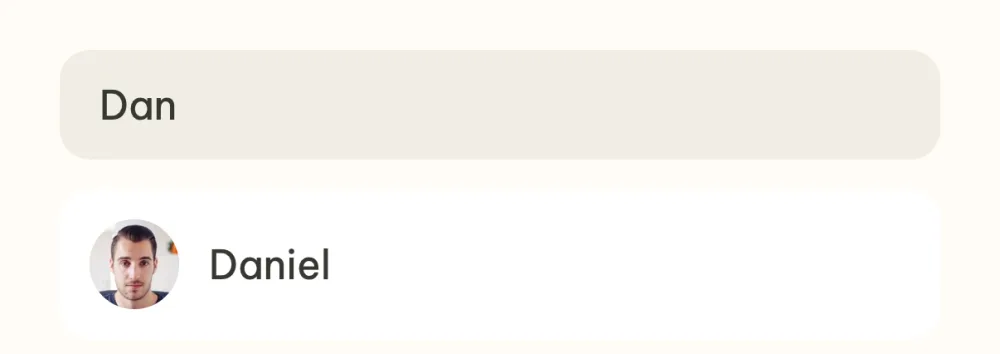
Open Invite a friend. In the event detail, tap the row of invited friends' avatars and then Invite a friend at the bottom of the participant list. Start typing in the Name or e-mail field and tap a friend you already have in Vyrazíme to invite them.
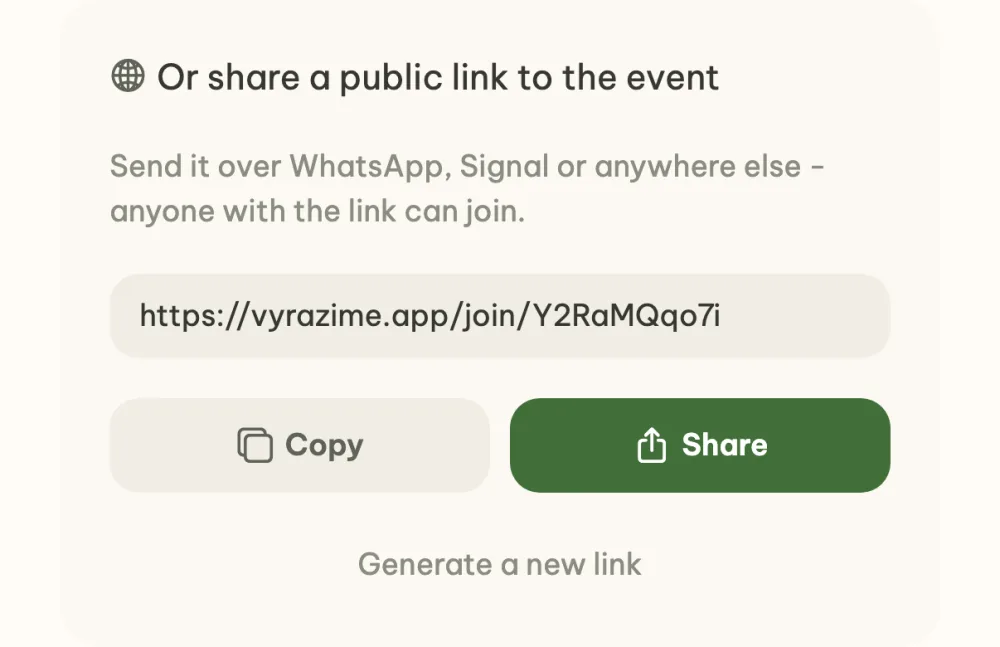
Send the public link to your group. At the bottom of the screen the public link to the event is ready. Copy copies just the link, Share sends a sentence with the event name and the link, to WhatsApp for example. Anyone who opens the link can join the event.
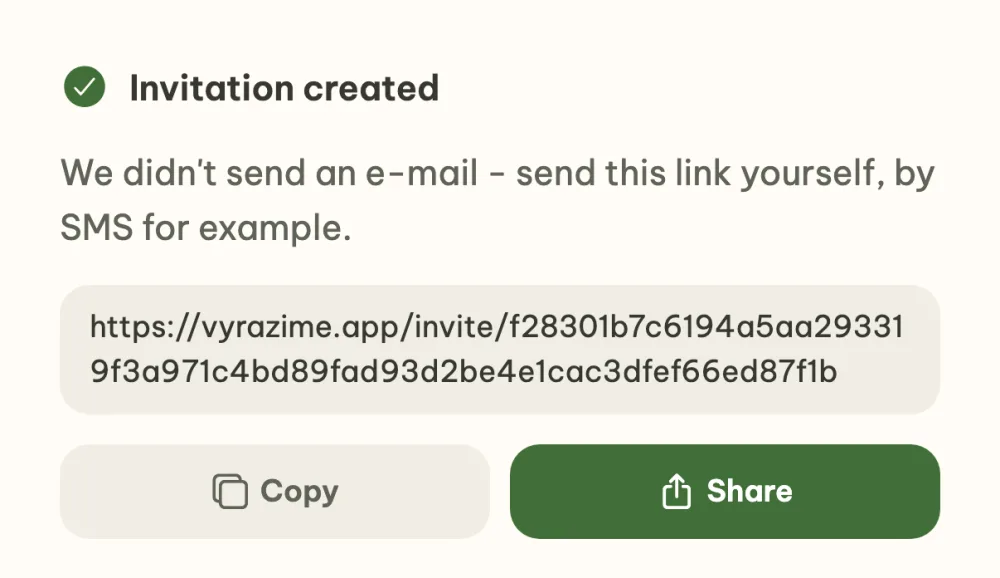
Send a personal invitation to a friend who isn't in Vyrazíme yet. Type their email and tap the Invite row with the address. As the organizer you can also type just a name. In the Who are you inviting? window, check the name and email and tap Invite. With an email, the invitation lands in their inbox; without one, the app shows you a personal link to send them yourself.
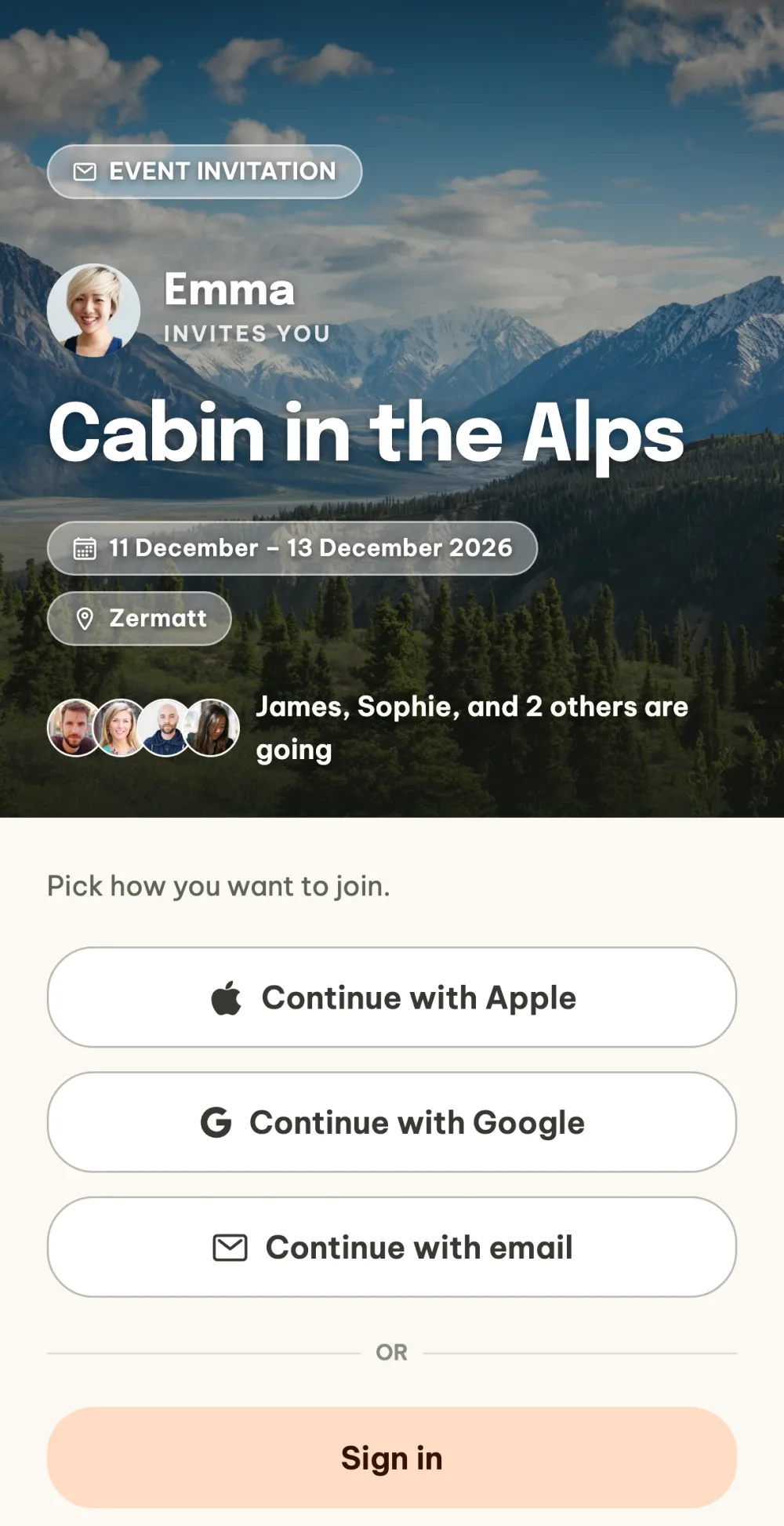
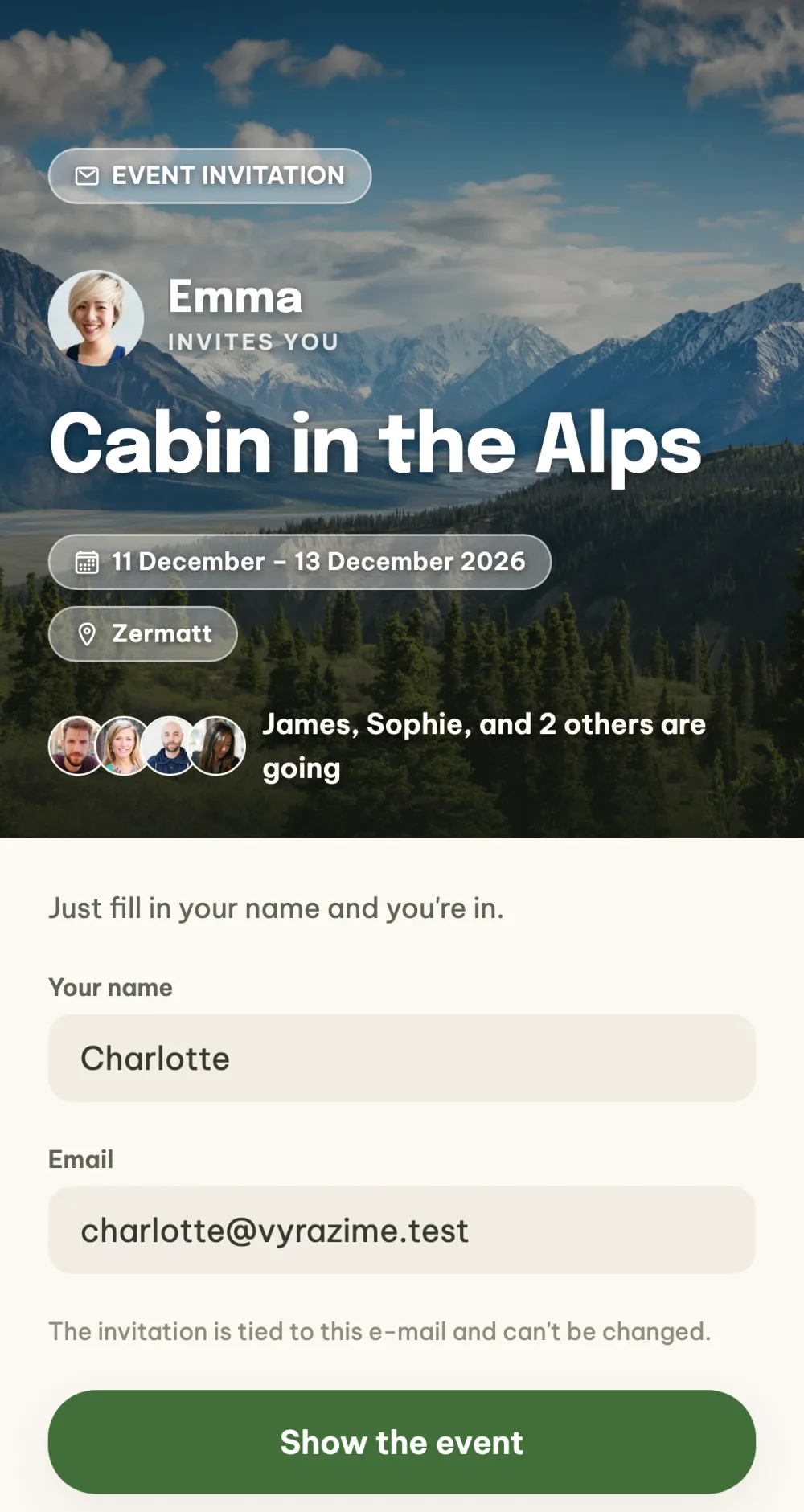
Your friend sees where you are inviting them. After opening the link they see the event name, photo, date, place, who is inviting them and who is already going. They join with Apple, Google or by email, and if they already have an account, they tap Sign in.
With a personal invitation, a name is all it takes. If you sent your friend an invitation by email and they don't have an account yet, they just fill in their name and tap Show the event. Their account is created automatically, with no password and no confirmation email.
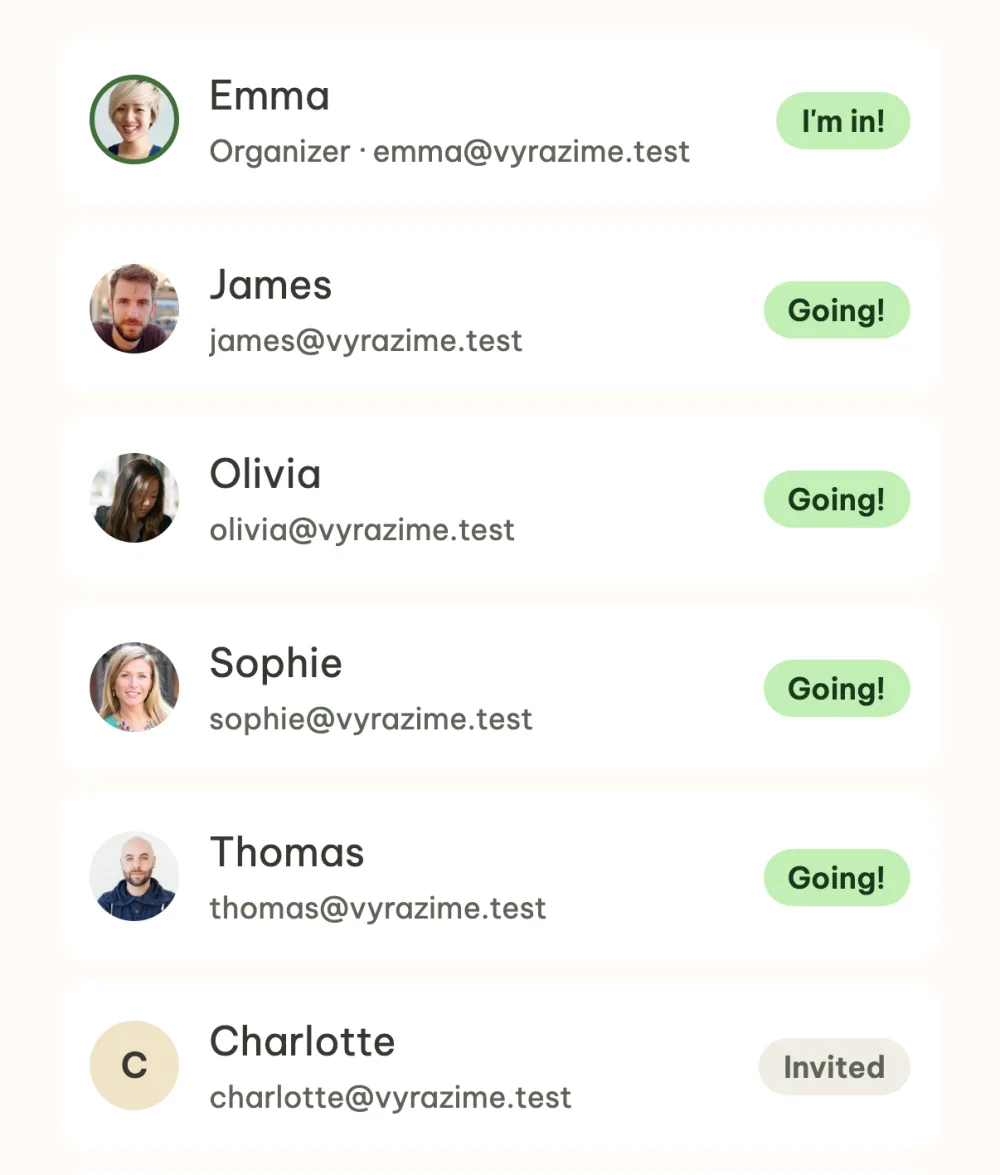
See who has joined. In the participant list everyone has their status next to their name. Anyone who hasn't opened the invitation yet is Invited, and anyone who has confirmed is Going!. From a participant's detail you can send them the invitation by email again.
FAQ
Do my friends need the app?
No. Without the app the link opens in the browser at vyrazime.app. If they have the app, it opens straight in it.
Does my friend need a password?
No. They join with Apple or Google, or with their name and email, where a six-digit code arrives. With a personal invitation by email, just a name is enough. They can set a password later in their profile, but they don't have to.
What is the difference between the public link and a personal invitation?
The public link is one for the whole event, and anyone who gets it can join. A personal invitation belongs to one person, and you see them in the participant list as Invited until they open it.
Can I swap the public link for a new one?
Yes, for example when you want to keep track of who else joins. On the invite screen tap Generate a new link. The original link stops working, and anyone who has already joined through it stays in the event.
Can someone other than the organizer invite people?
They can suggest a friend. In the participant list they have a Suggest a friend button instead of Invite a friend, and the organizer gets a notification to approve the suggestion. Only the organizer sees the public link on the invite screen.