 Vyrazíme
How to choose accommodation with friends that everyone likes
Everyone suggests a place to stay, the others give it a thumbs up and the organizer confirms the winner. That is how you and your friends agree on a stay.
Accommodation is easiest to choose when all the options sit side by side and you can see who likes what.
In Vyrazíme everyone adds a suggestion, say a cottage a friend of a friend rents out or a link from Booking or Airbnb, as the video shows. From a link the app makes a card with a photo and a price by itself. The others give it a thumbs up or down and the organizer confirms the winner.

What Vyrazíme does
- Suggestions from anyone in the event. A hotel, a guesthouse, a cottage or an Airbnb, with a photo, address, price and note.
- Any kind of stay, with or without a link. Fill in the name, address, price and photo yourself, or paste a link from Booking or Airbnb and the app fills in the name, photo, address, price and location on the map by itself.
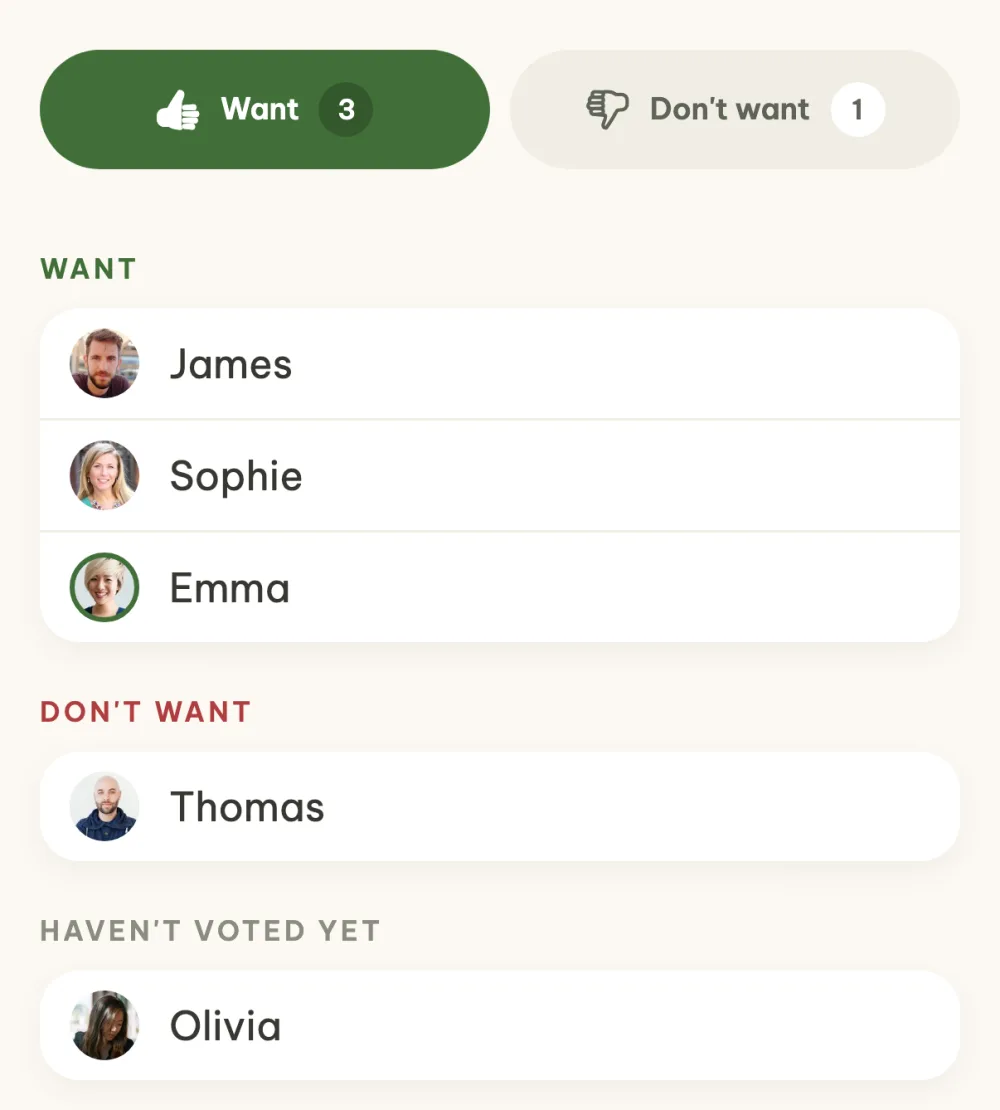
- Thumbs up voting. Give each suggestion a thumbs up or down, the leading one has a trophy. In the details you see who wants it, who doesn't and who hasn't voted yet.
- Search on Booking and Airbnb. From the last card you open a search with the place, dates and number of guests already filled in.
- Final stay in one tap. The organizer picks the winner and the app announces it to everyone in the event.
- How to check in. For the confirmed stay, anyone in the event can note down the check-in, the door code or parking.
- Map and directions. A confirmed stay with a location shows up on the map in the event details, with a Navigate button.
Step by step
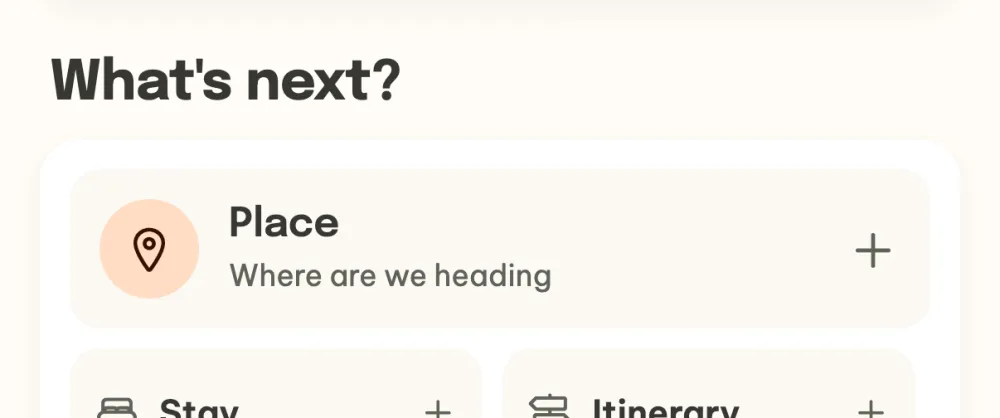
Open accommodation in your event. In the event details, tap the Stay tile in the What's next? section. This opens the Where are we staying? screen, where you add the first suggestion with the Suggest a stay button. With the first suggestion, accommodation shows up in the event for everyone.
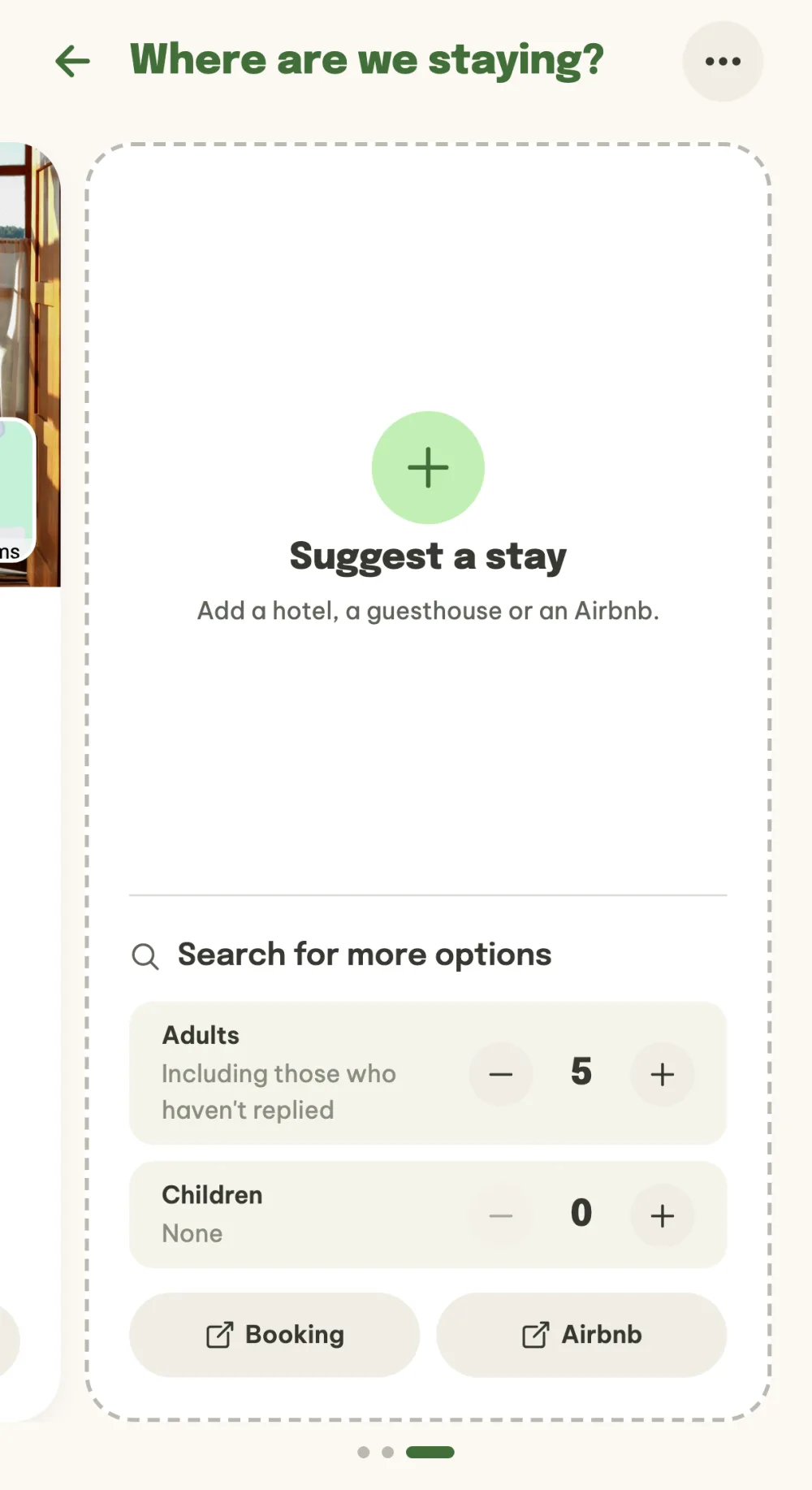
Find options right from the app. The last card in the row is Search for more options. Set the number of adults and children and the Booking and Airbnb buttons open a search with the place, the event dates and the number of guests filled in. Whatever you like, you add as a suggestion in the next step.
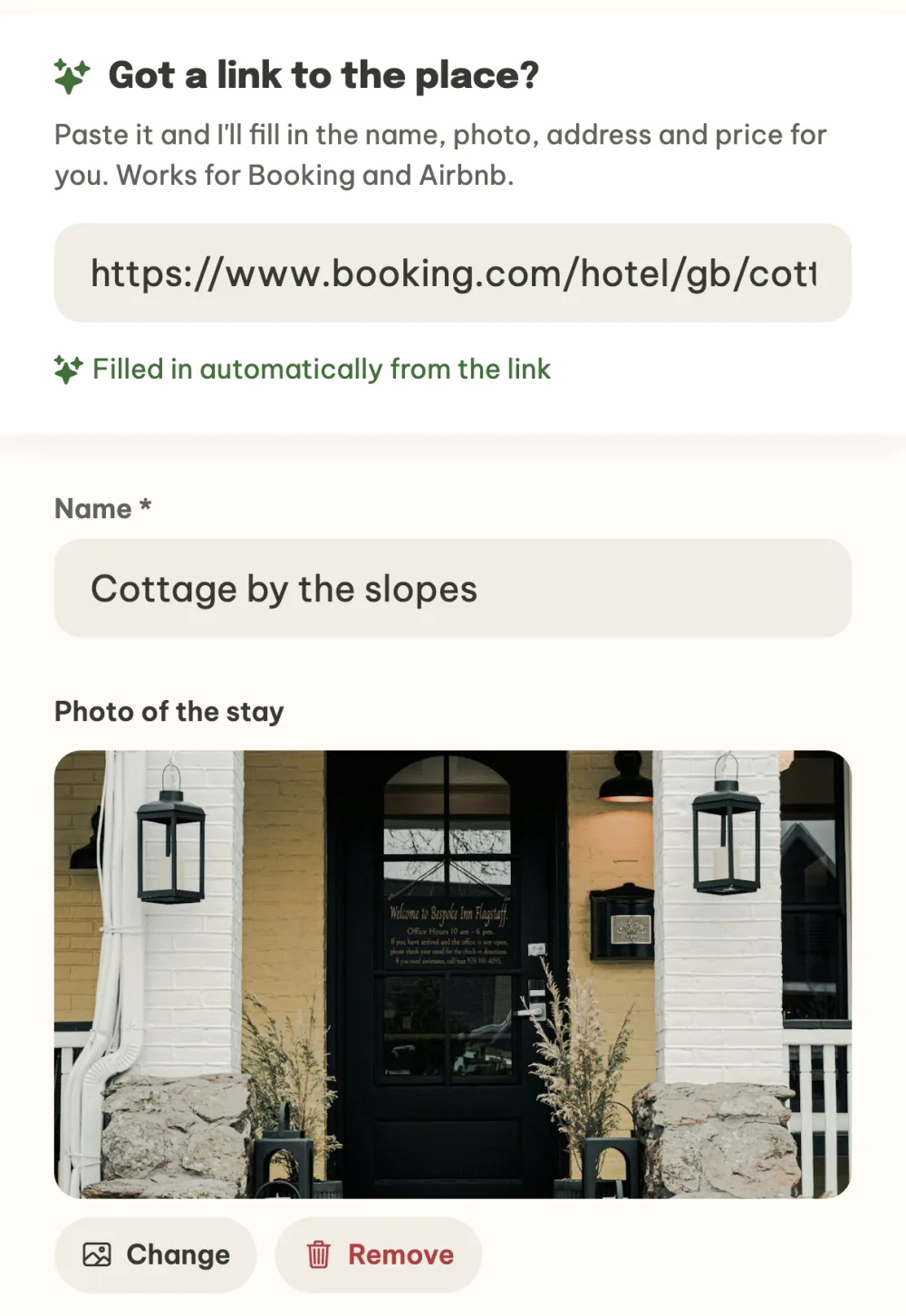
Add a suggestion, with or without a link. You can fill in the name, price and address yourself, for example for a cottage a friend of a friend rents out. If you have a link to a listing on Booking or Airbnb, paste it into the first field of the form and the app fills in the name, photo, address and price and shows Filled in automatically from the link. Change anything that doesn't fit and save the suggestion with the Suggest a stay button. If you have already decided, the organizer can tap Confirm the stay right away on the first suggestion and skip the vote.
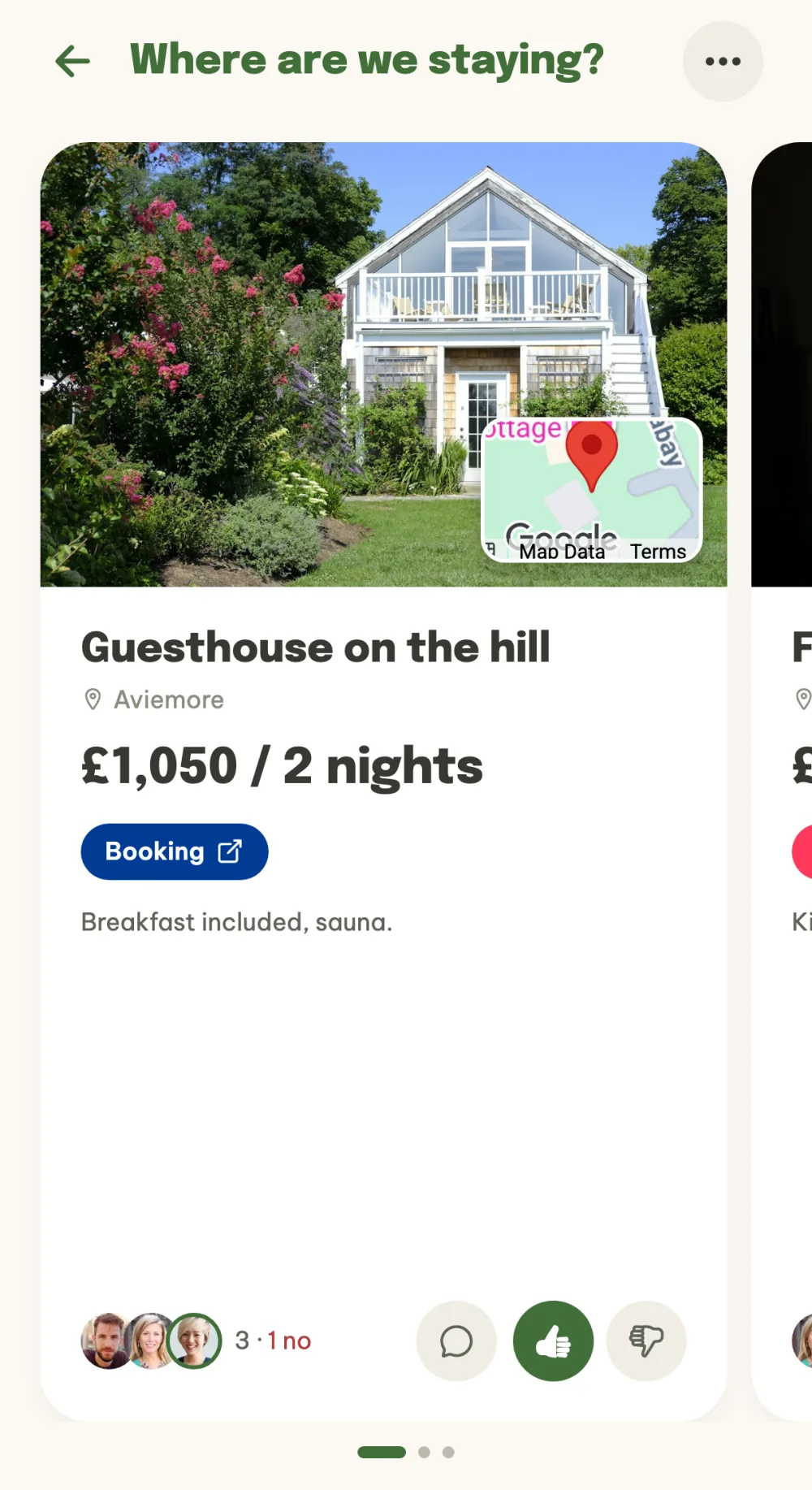
Vote thumbs up or down. Suggestions are large cards with a photo, price, map and a link to the listing. Swipe sideways between the cards, a thumbs up says you want this one, a thumbs down says you don't.
See who wants what. Tap a card to open the details with the price and map. Below the Want and Don't want buttons you see how everyone voted and who hasn't voted yet.
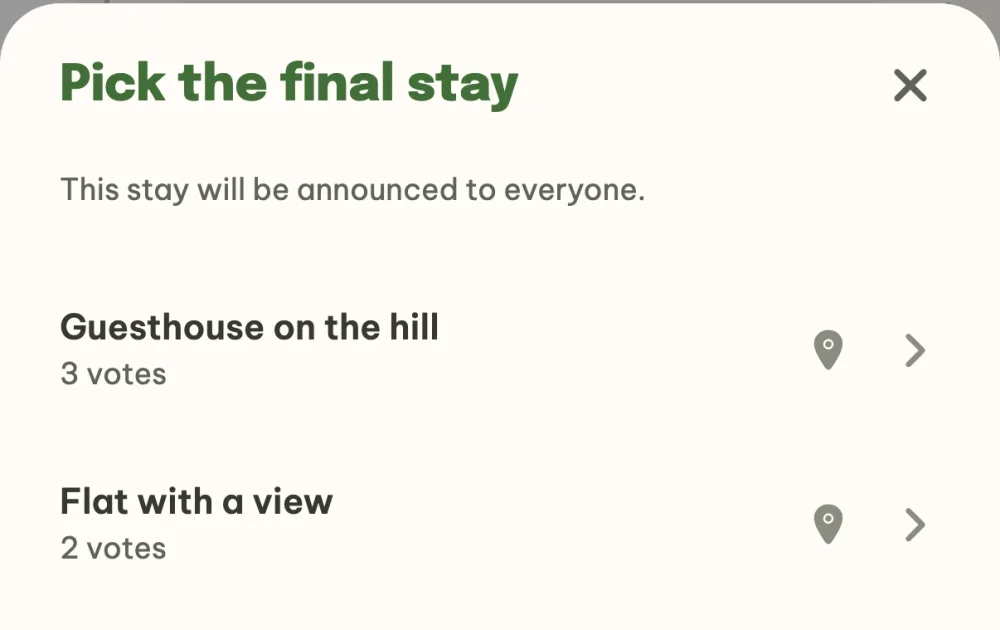
Confirm the final stay. As the organizer, tap Pick the final stay at the bottom, choose a suggestion and confirm it with the Confirm as the final stay button. The app announces it to everyone and it shows up under What's agreed in the event details.
FAQ
Does filling in from a link work in the browser too?
On your phone the app fills in the name, photo, address and price from a Booking or Airbnb link. Booking and Airbnb block loading from a server though, so in the browser on a computer you fill in these details yourself.
Does a confirmed stay mean it is booked?
No. The confirmed stay is the one you agreed on. One of you books it directly on Booking, Airbnb or with the owner, and the link to the listing is in the accommodation details.
Who picks the final stay?
The organizer of the event. The others suggest and vote, then the organizer taps Pick the final stay and sees the number of votes for each suggestion. If needed, they can reopen the vote.
Where do I note down the door code and check-in time?
In the How to check in section of the confirmed stay's details. Anyone in the event can fill it in, not just the person who suggested the stay.
We are staying in several places, does that work too?
For a trip with several stops there is the Itinerary. The organizer turns it on in What's next? and you then plan the nights day by day as itinerary items. Accommodation suggestions and votes already in the event carry over to the itinerary.