 Vyrazíme
How to find a date that works for everyone
Suggest a few dates, everyone taps I can or I can't and the app shows which one works best. Step by step, how to agree on a date with your friends.
A date that suits everyone is the first step of every event. As soon as everyone says when they can make it, you see straight away when most of you can get together.
Vyrazíme makes it easy, as the video at the top shows: anyone in the event suggests dates, the others tap I can or I can't on each one and the app sorts them by how many people can make it. It works for a weekend at a cabin, a holiday or a day trip. The organizer has all the votes clearly in one place and the app sends the reminders to your friends.

What Vyrazíme does
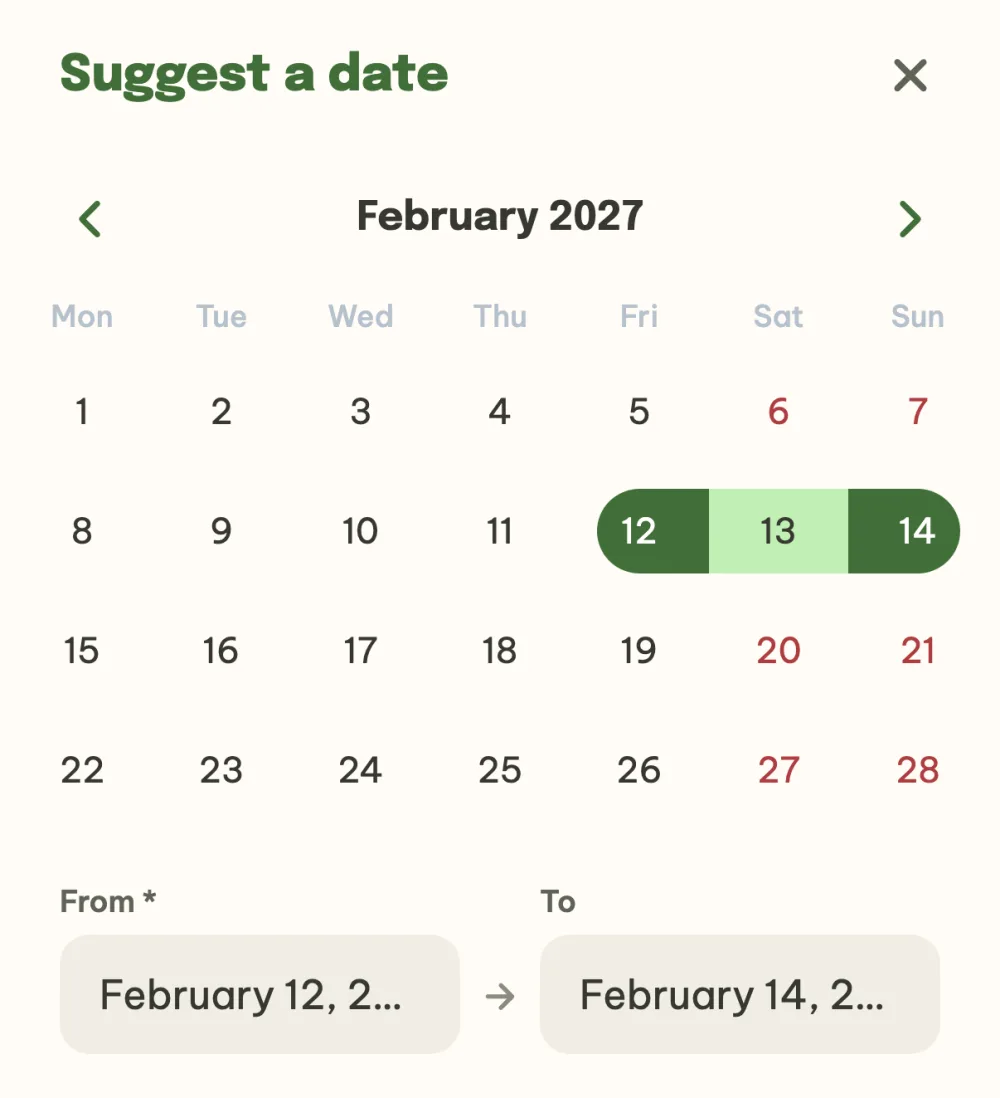
- Date suggestions from anyone in the event. A single day or a range of days, a meeting time for a one-day date, plus a note. Weekends are shown in red in the calendar.
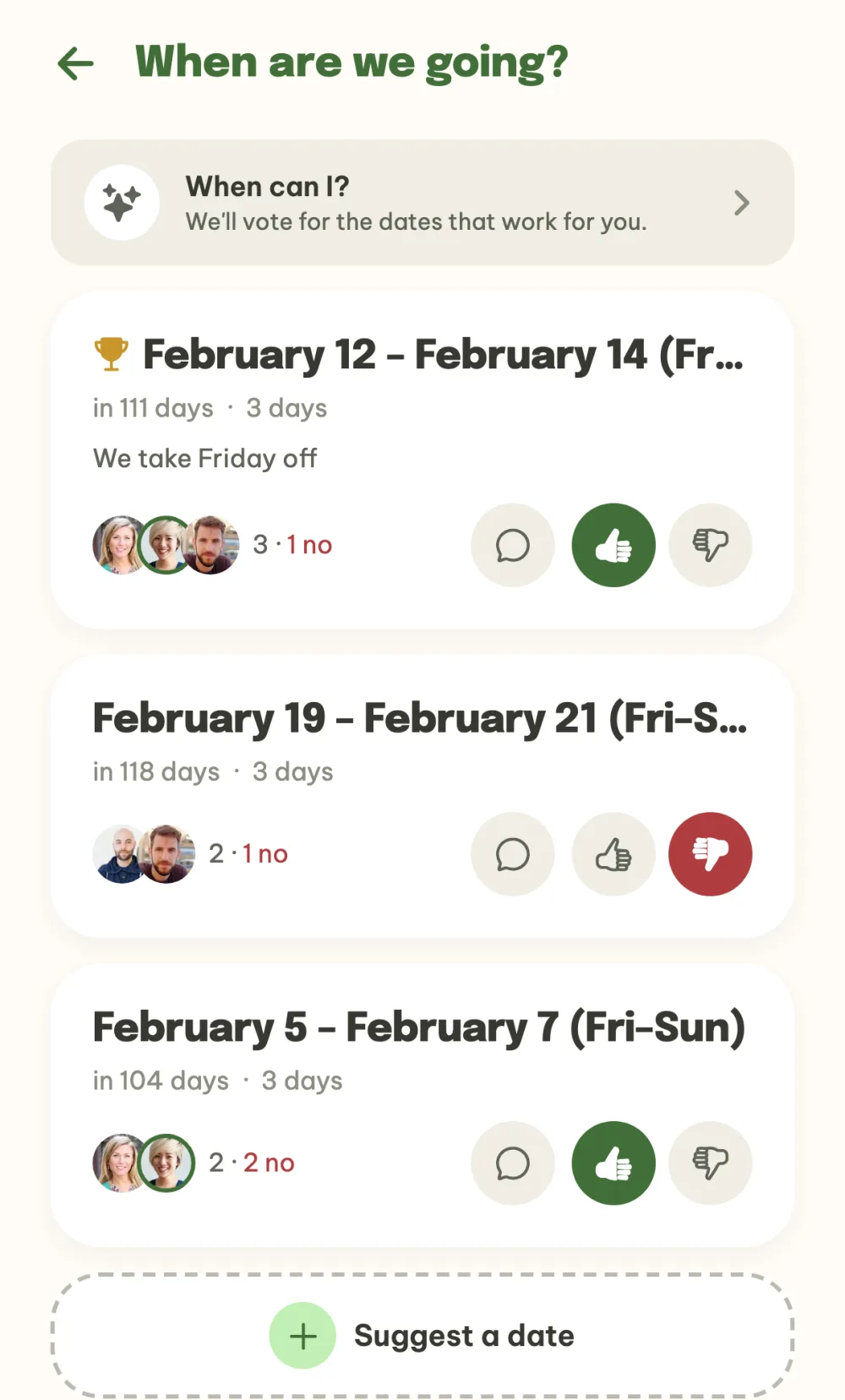
- Voting with I can and I can't. Dates are sorted by how many people can make it, and I can't counts against a date. The leading date has a trophy next to it.
- When can I? Mark the days you are free in the calendar and the app votes for you on every date you fully cover. In the Others tab you see when it works for your friends.
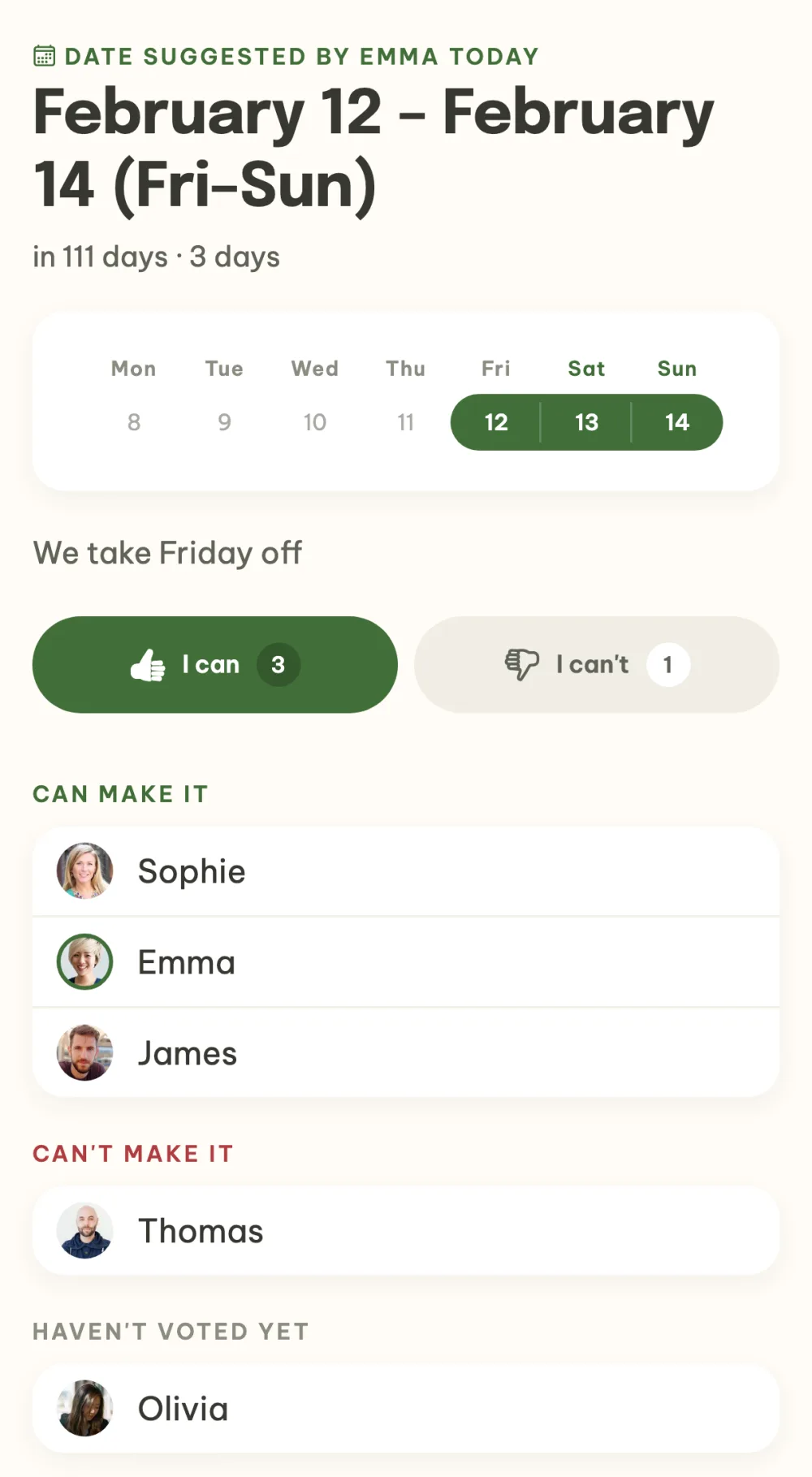
- Overview of votes. Each date lists the names under Can make it, Can't make it and Haven't voted yet.
- Reminders. Anyone who hasn't voted yet gets a reminder on their phone. The app lets the organizer know as soon as everyone has voted.
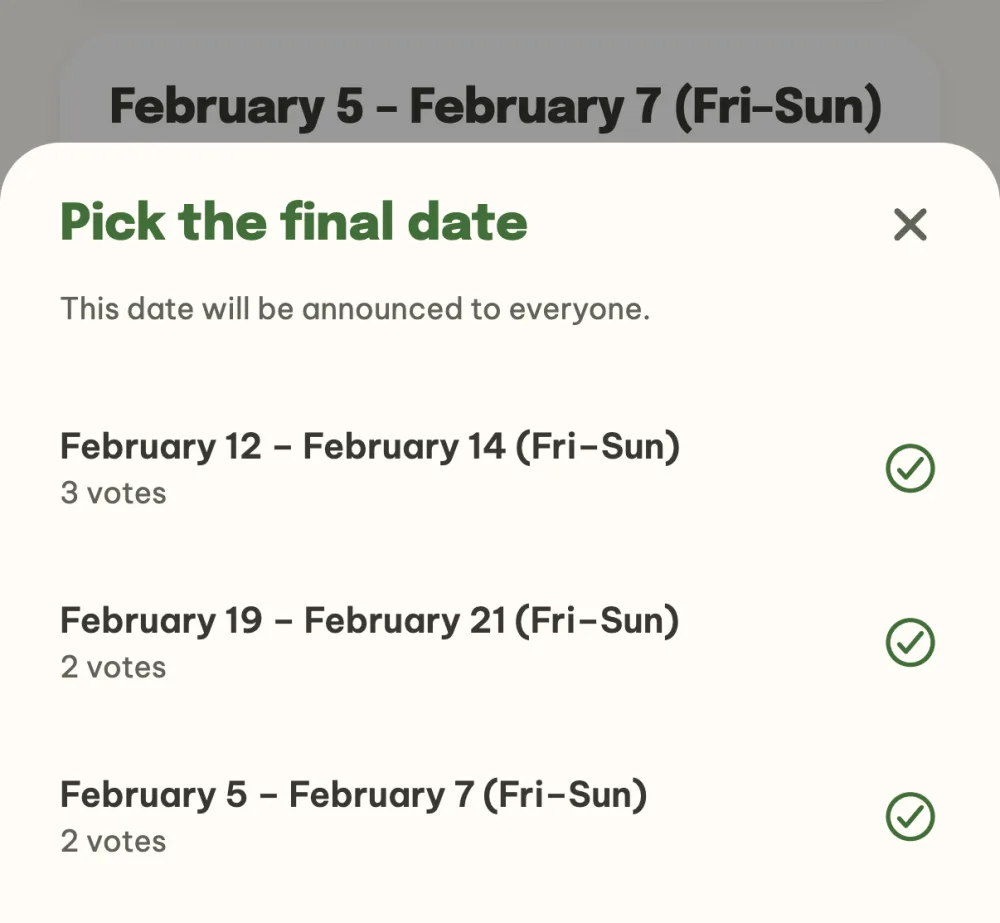
- Final date in one tap. The organizer picks the date and the app announces it to everyone in the event. Anyone who voted I can for it has their attendance confirmed right away.
- The date in your calendar. Once you confirm your attendance, a calendar invite arrives by email. If the date changes, the calendar entry updates itself.
Step by step
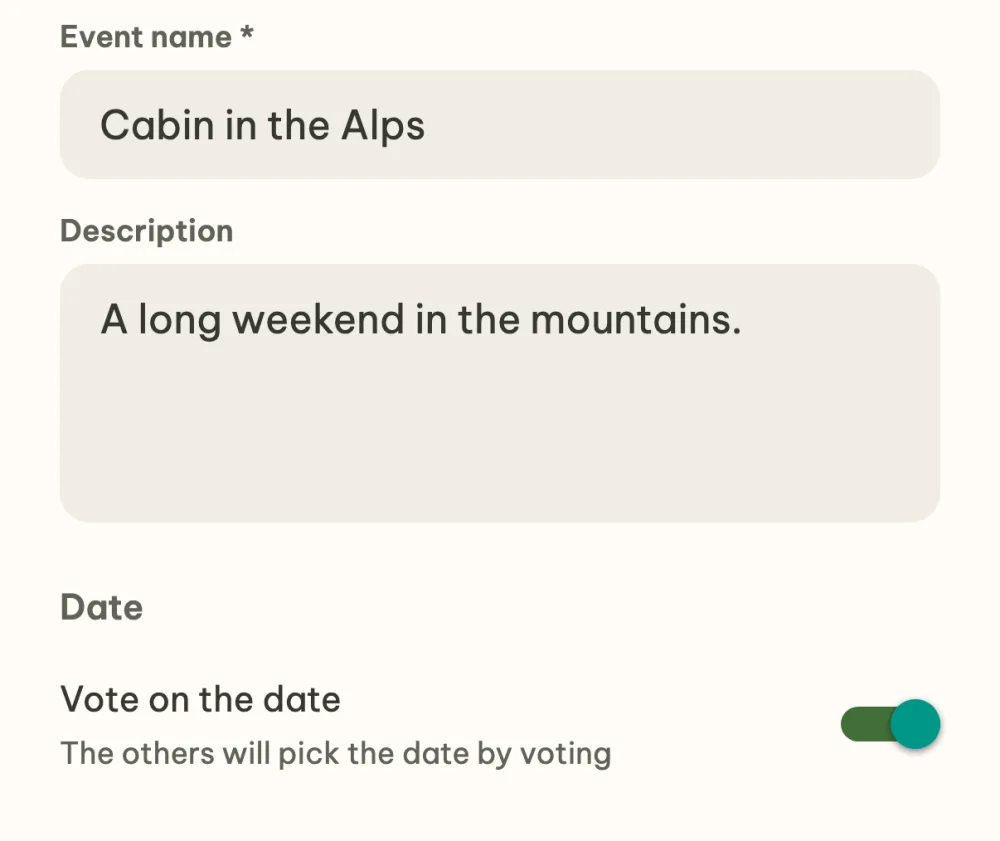
Create an event and leave the date to a vote. Name the event, for example Cabin in the Alps, and turn on the Vote on the date switch. You then pick the date together.
Suggest a few dates. In the event details tap Suggest a date, then Suggest the first date, and pick the first and last day in the calendar, for example 12 to 14 February. Save it with the Suggest date button and use the Suggest a date row below the list to add one or two more, so there is something to choose from.
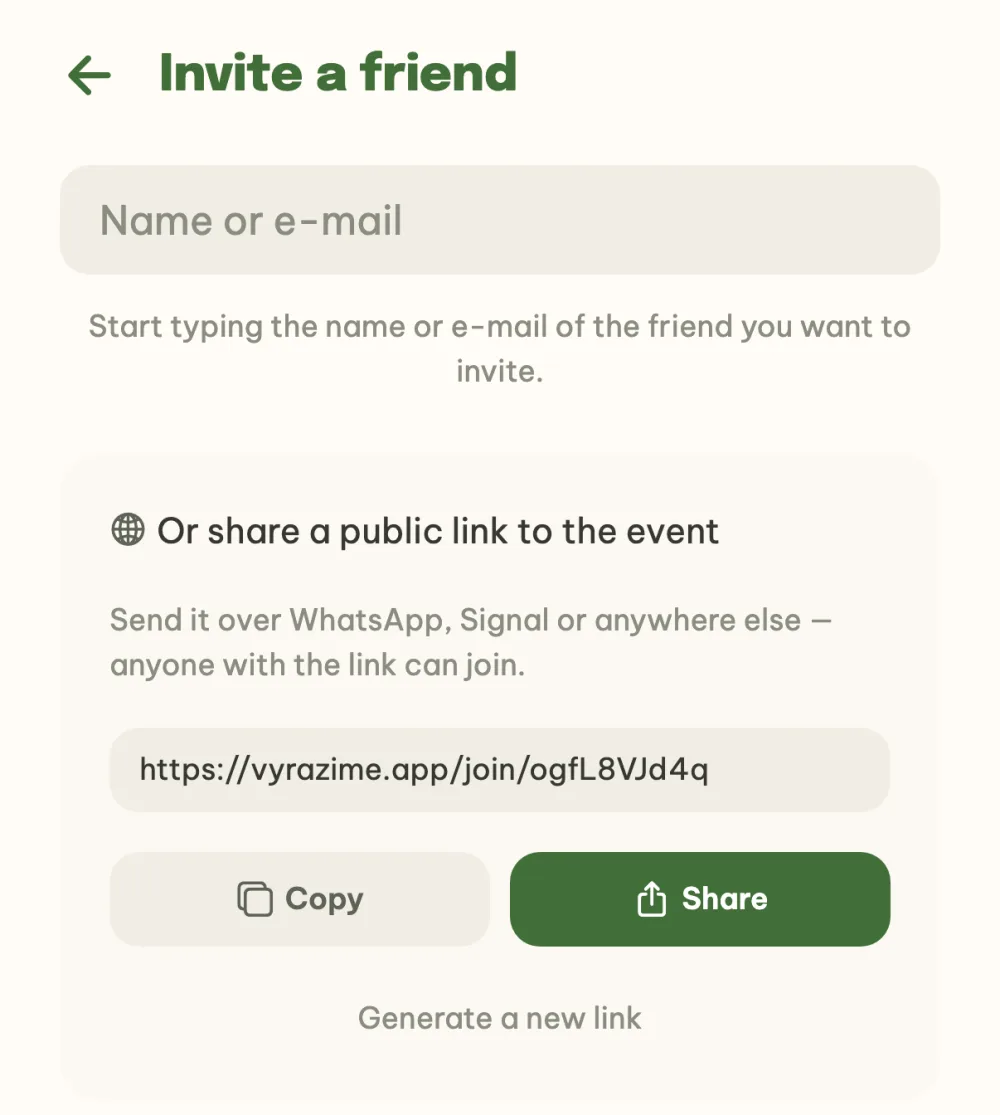
Invite your friends. In the event details tap the row of invited avatars and then Invite a friend at the bottom of the participant list. Find a friend who is already on Vyrazíme by name and invite them with a tap. Or copy the public link to the event at the bottom and send it to the group where you chat. Anyone who opens the link is in the event.
Vote I can or I can't. Everyone taps thumbs up (I can) or thumbs down (I can't) on each date. If you want to get the voting done quickly, fill in When can I? at the top and the app votes for you.
See how everyone voted. Open a date and below the I can and I can't buttons you see who can make it, who can't and who hasn't voted yet.
Confirm the final date. As the organizer, tap Pick the final date at the bottom and choose the winner. The app announces the date to everyone and anyone who voted I can for it has their attendance confirmed. The app asks the others in the event details whether they are coming too.
FAQ
Can I add another date once voting has started?
Yes. Anyone in the event can add another suggestion with the Suggest a date row below the list and the others vote on it the same way. The dates are sorted by votes as you go, so you see straight away which one works best.
Do my friends need the app?
No. Without the app, the event link opens in the browser at vyrazime.app, your friend fills in their name and email and votes just like in the app. If they have the app, the link opens straight in it.
How do I see who has already voted?
The details of each date list the names under Can make it, Can't make it and Haven't voted yet. Anyone with the app on their phone gets a reminder until they vote, and the organizer gets a message as soon as everyone has voted.
Who picks the final date?
The organizer of the event. The others suggest and vote, then the organizer taps Pick the final date and sees the number of votes for each suggestion. They can pick any of them.
Can the date be changed after it is confirmed?
Yes. In the date details the organizer opens the menu under the three dots and chooses Reopen voting. If the date changes, an updated calendar invite arrives and the original entry in the calendar updates itself.