 Vyrazíme
Packing list for a group trip
AI builds your packing list from the event, the number of nights and what you'll be doing. You tick off what's packed and the organizer adds shared items.
The best way to pack is from a list that fits the actual event: mountains or the sea, two nights or a week.
In Vyrazíme, AI puts that list together for you, and the video above shows how. You write a few words about what lies ahead, and moments later your things are sorted by activity, with quantities too. Then you just tick off what you have packed. The list is yours alone, and the shared part is the items the organizer writes for everyone.

What Vyrazíme does
- A list just for you. The packing list is the only thing in an event that the others cannot see. You share it only with your family if they are coming with you.
- An AI suggestion based on the event. You write a few words about what lies ahead, pick your activities, and AI puts the list together from the place, the number of nights, the weather and who is going. It only picks items from our verified list.
- Bring it over from another event. You copy the list from your last trip with one tap.
- Sections by activity. Essentials at the top, then each activity on its own, such as Hiking or Sauna and wellness. A finished section folds shut.
- Ticking off with progress. At the top you see how many items you have packed and how many days until you set off.
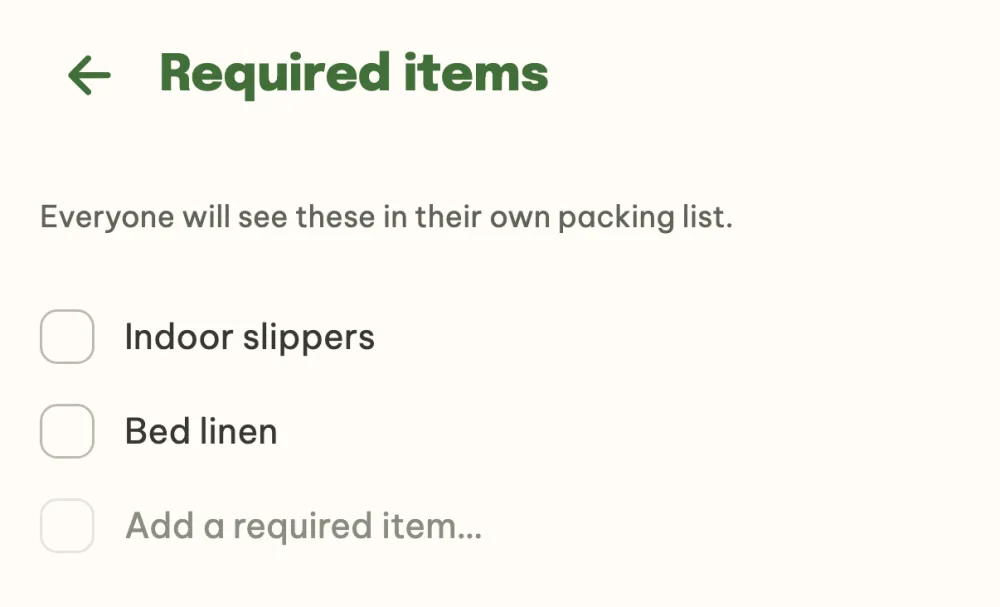
- Required items from the organizer. Anything absolutely everyone should bring, the organizer writes once and it appears in everyone's list.
- A reminder the day before. For a multi-day event, the day before you leave your phone tells you how many items are still left to pack.
Step by step
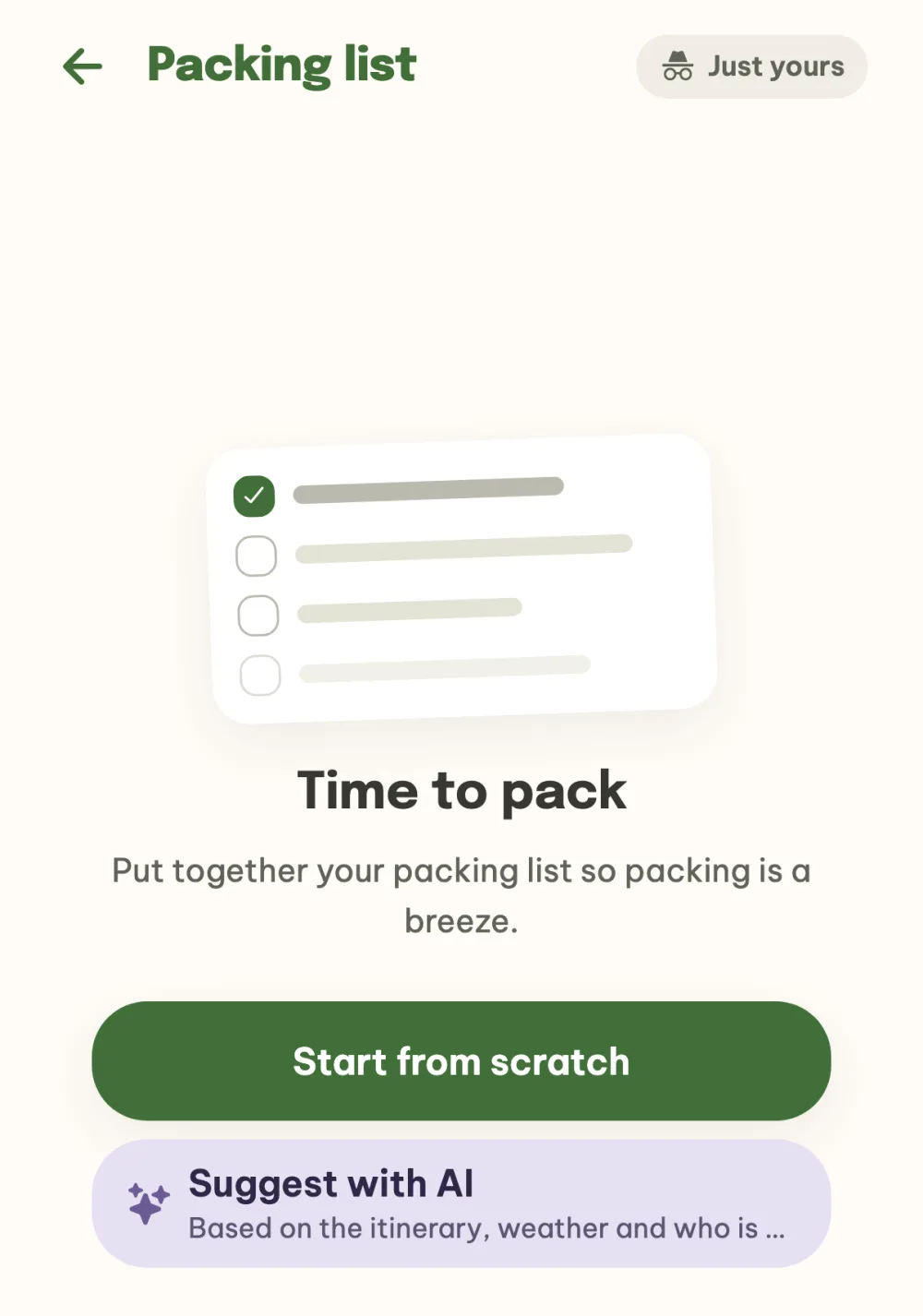
Open the packing list. In the event details, tap Packing list. The Just yours label next to the title reminds you that only you can see the list. Tap Suggest with AI. If you want to start from nothing, tap Start from scratch, and if you have a list from an earlier event, you will also find Bring from another trip here.
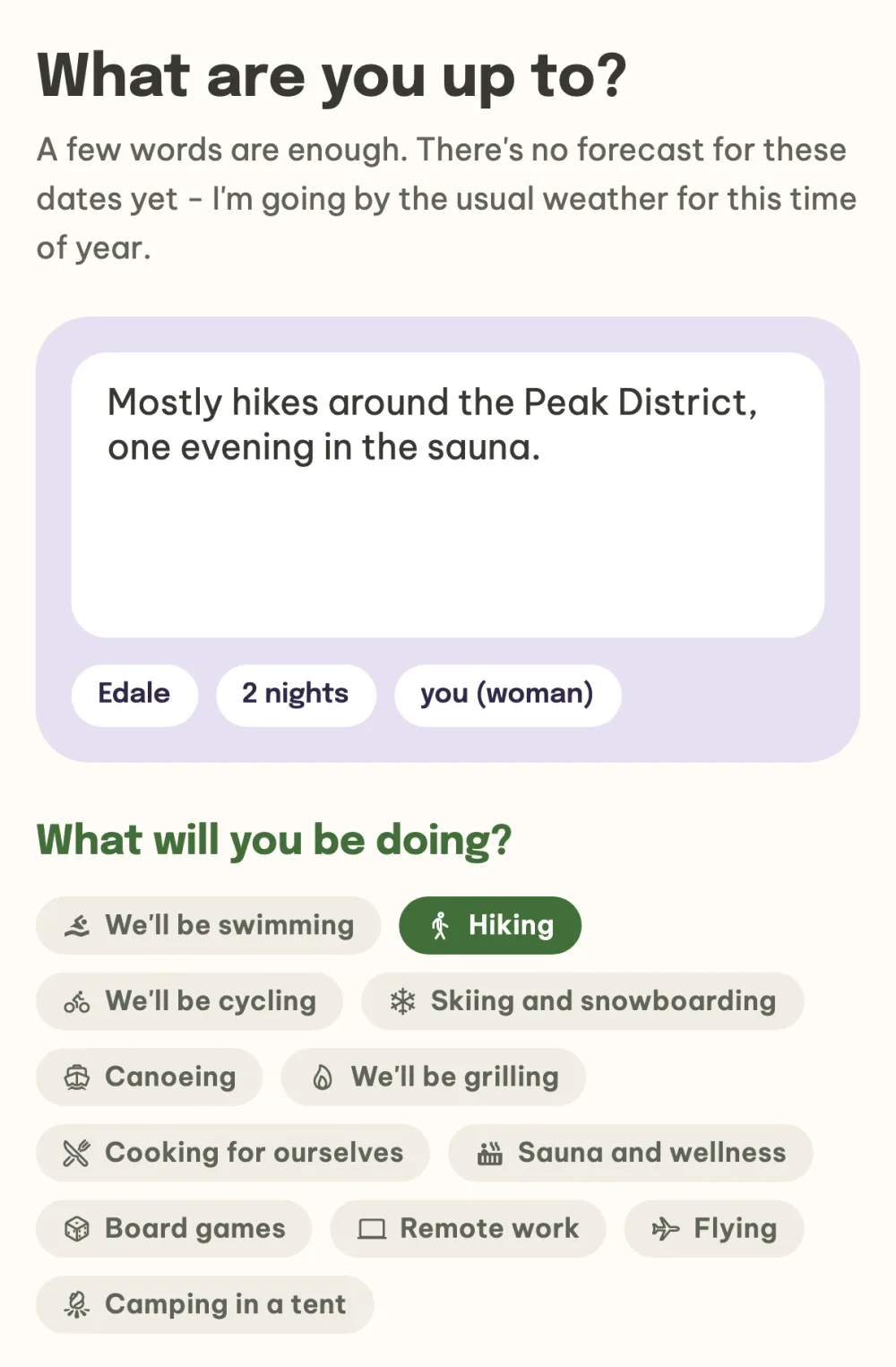
Write what you're getting ready for. Under What are you up to? write a few words about what lies ahead, such as hikes and an evening in the sauna, and under What will you be doing? tick your activities. The tags below the field show what AI already takes into account: the place, the number of nights and who is going. The Suggest with AI button at the bottom builds the list.
Let AI build the list. Moments later your list is split into sections: Essentials and below it each activity. Items you take more of show a quantity, and where it relates to the event, a short reason sits below the name. When AI spots an activity in your text that you didn't tick, such as the sauna, it adds it and tells you why.
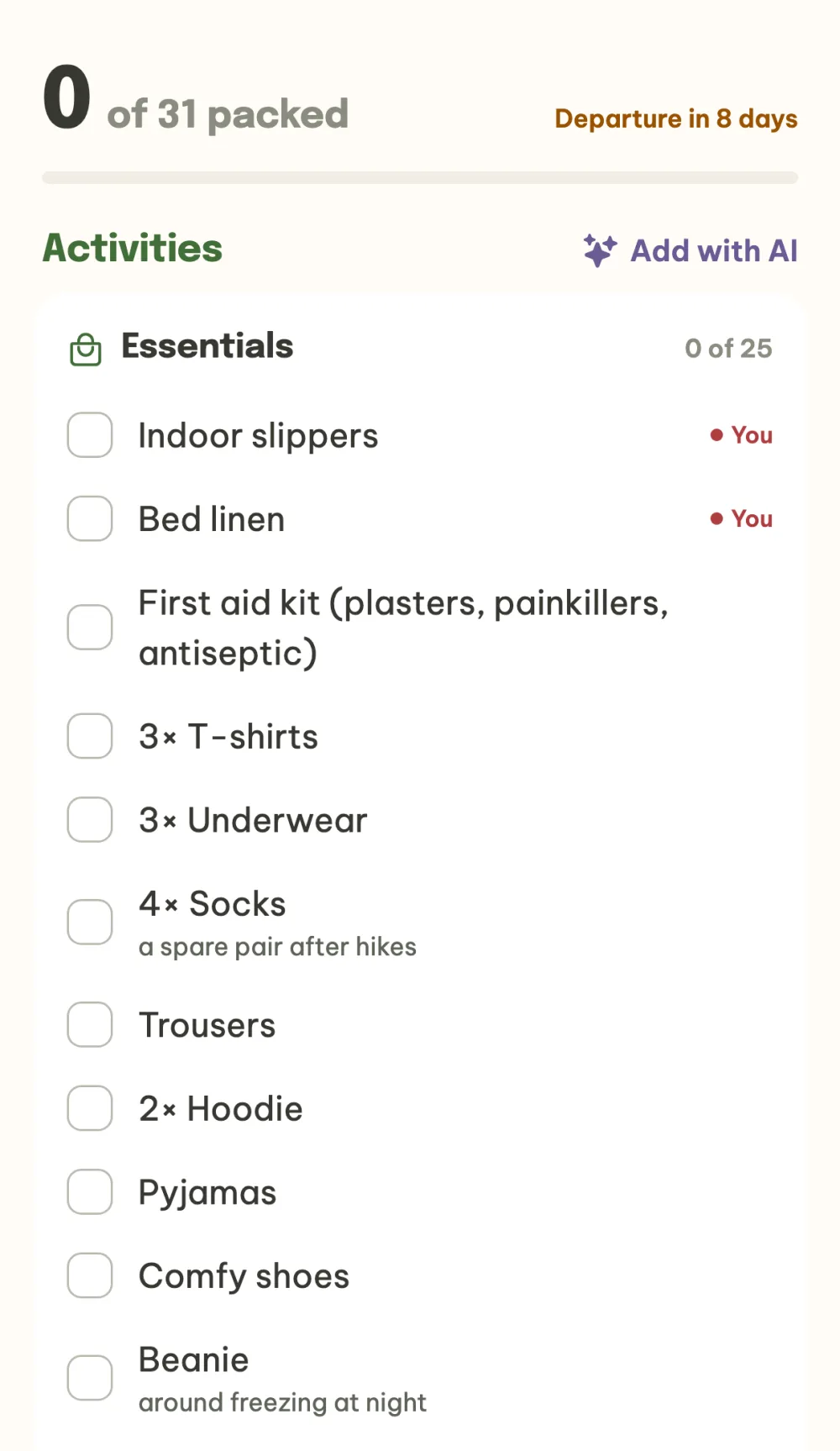
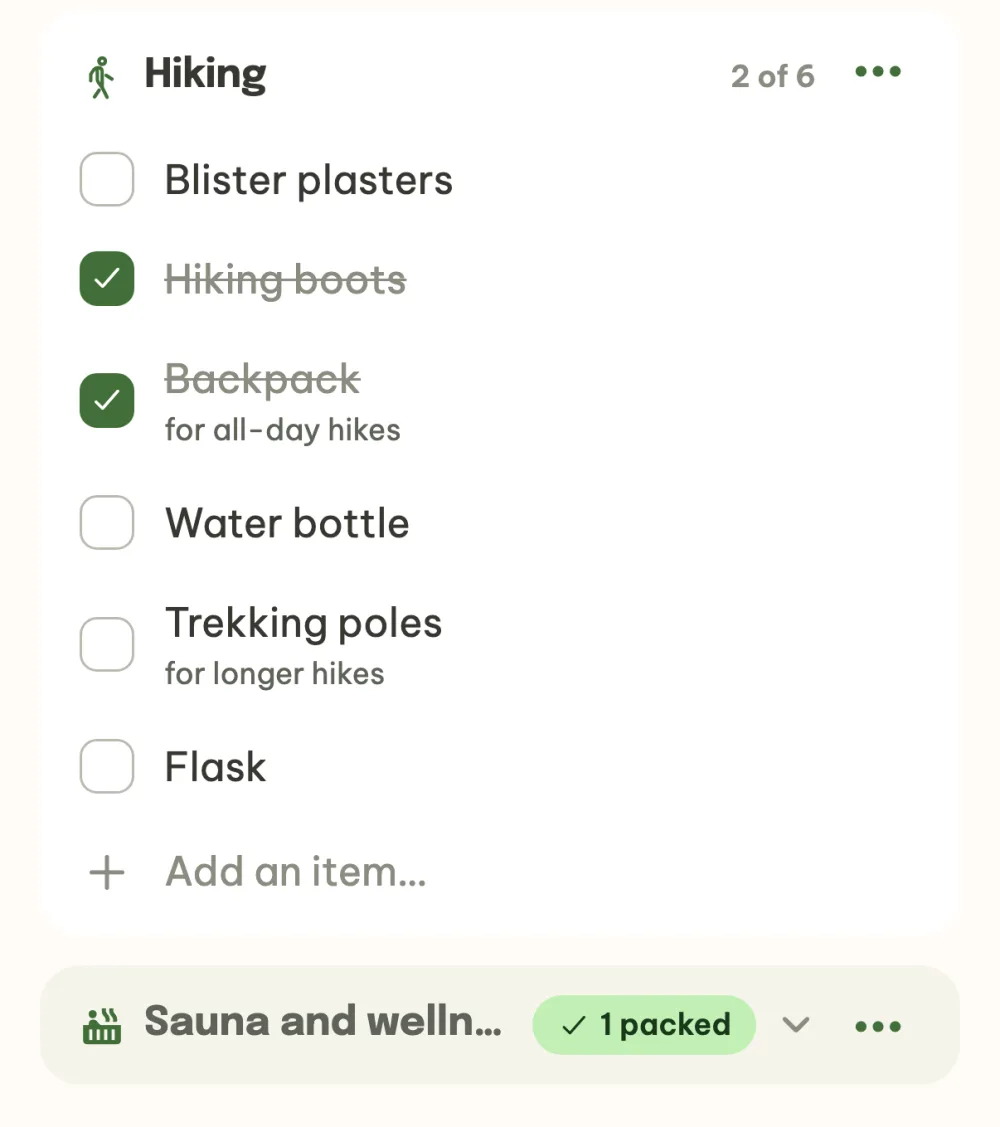
Tick off and add what's missing. Tap the box to tick an item off, and at the top you see how much you have packed. At the end of each section there is an Add an item… row where you write your own item. A section where everything is packed folds into a single row.
As the organizer, write what to bring. Below your own list you have the What to bring card. There you add required items, such as indoor slippers or bed linen, and they appear in the packing list of everyone in the event, marked with a red dot.
FAQ
Can the others see what I'm packing?
No. The packing list is yours alone. You share it only with your family if they are coming to the event with you, and they also see what you have already packed. Only the organizer's required items are visible to the whole event.
What if the event has no dates yet?
You can still start your list. In the generator you choose how many nights you are packing for, and in the field you write whether you are going in winter or summer. If you don't, AI packs things for both summer and winter.
Where does AI get the items for the list?
Only from our verified list of items, and it picks them based on what it knows about the event and what you wrote. Without consent to AI features, or once the daily credits run out, simpler rules build the list and the app tells you so.
Can I use the list for another trip?
Yes. In the new event, tap Bring from another trip and pick the trip you want to copy the list from. The items come over as they were, and you tick them off again.
Can I delete the list and start again?
Yes. In the menu under the three dots at the top right, choose Delete list and start over. Items from the organizer stay.