 Vyrazíme
Places to visit together on your trip
Collect tips for outings, viewpoints and pubs in one list with a map, or ask AI for ideas. Step by step, where to go once you get there.
Once you know where you are going, the next question is what to do there. Tips from friends for a castle, a viewpoint or a good pub after the hike are best collected together, with a map.
In Vyrazíme that is what Points of interest are for, as the video shows: anyone in the event adds a tip, and when you want inspiration, AI suggests nearby places based on what you enjoy. Everything then sits on a map, and one tap takes you to a place in your own navigation app.

What Vyrazíme does
- A shared list of tips. A castle, a viewpoint or a pub after the hike, with a description, a link and tags. Everyone in the event can see it.
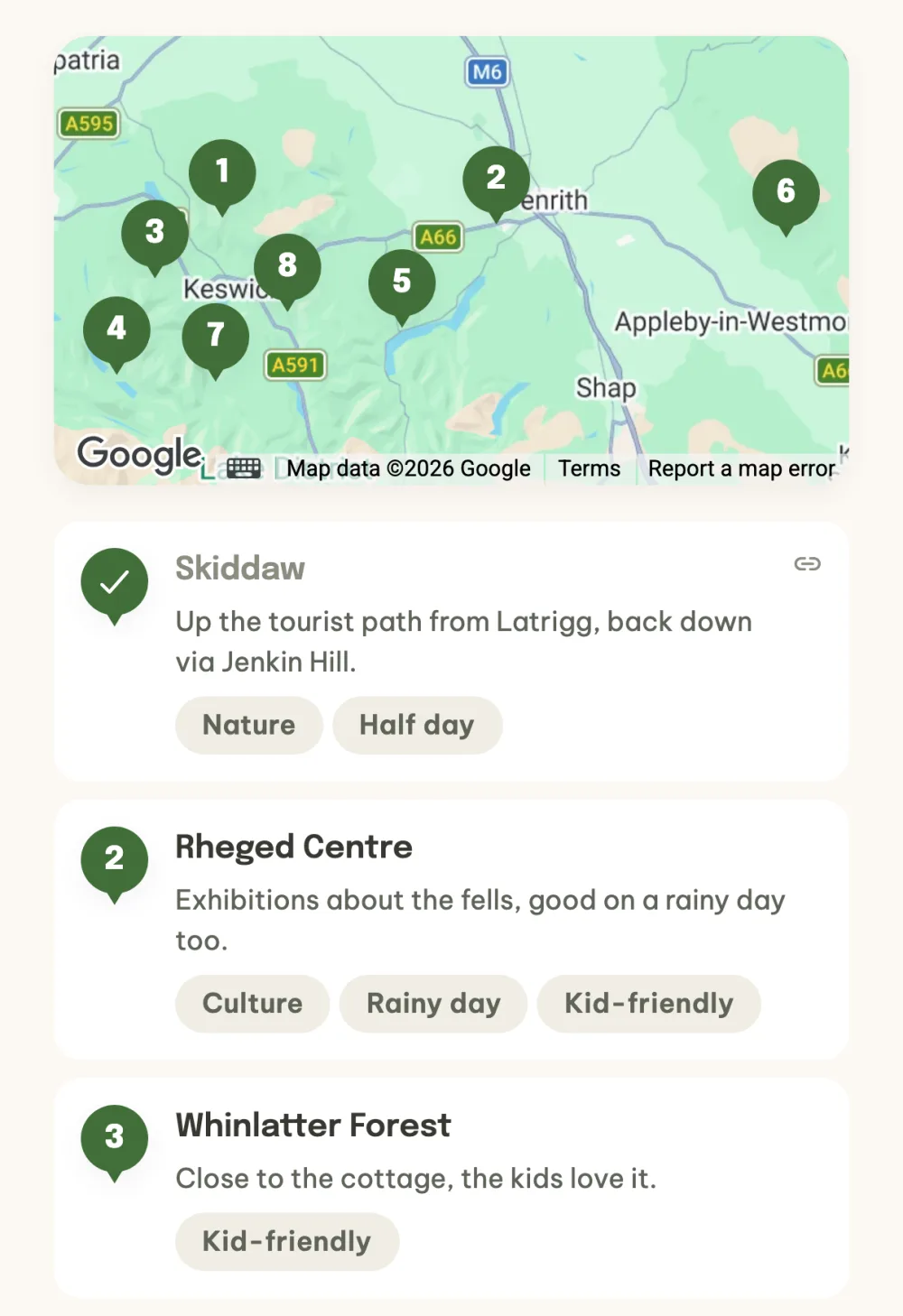
- A map of all the places. Above the list, the tips are numbered pins, and the map opens full screen.
- AI tips nearby. You write a few words about what you enjoy and AI suggests nearby places based on the dates, the number of people and the children's ages. Every place is checked on the map.
- Tags. Kid-friendly, Rainy day, Free, Half day, Full day, Food and drink, Nature, Culture, or your own.
- We've been there. Tap the number to tick a place off, and everyone sees the tick.
- Copy from another event. You copy tips from a past event into a new one.
- Into the itinerary. With the itinerary turned on, you add a tip as an item on a specific day and time.
Step by step
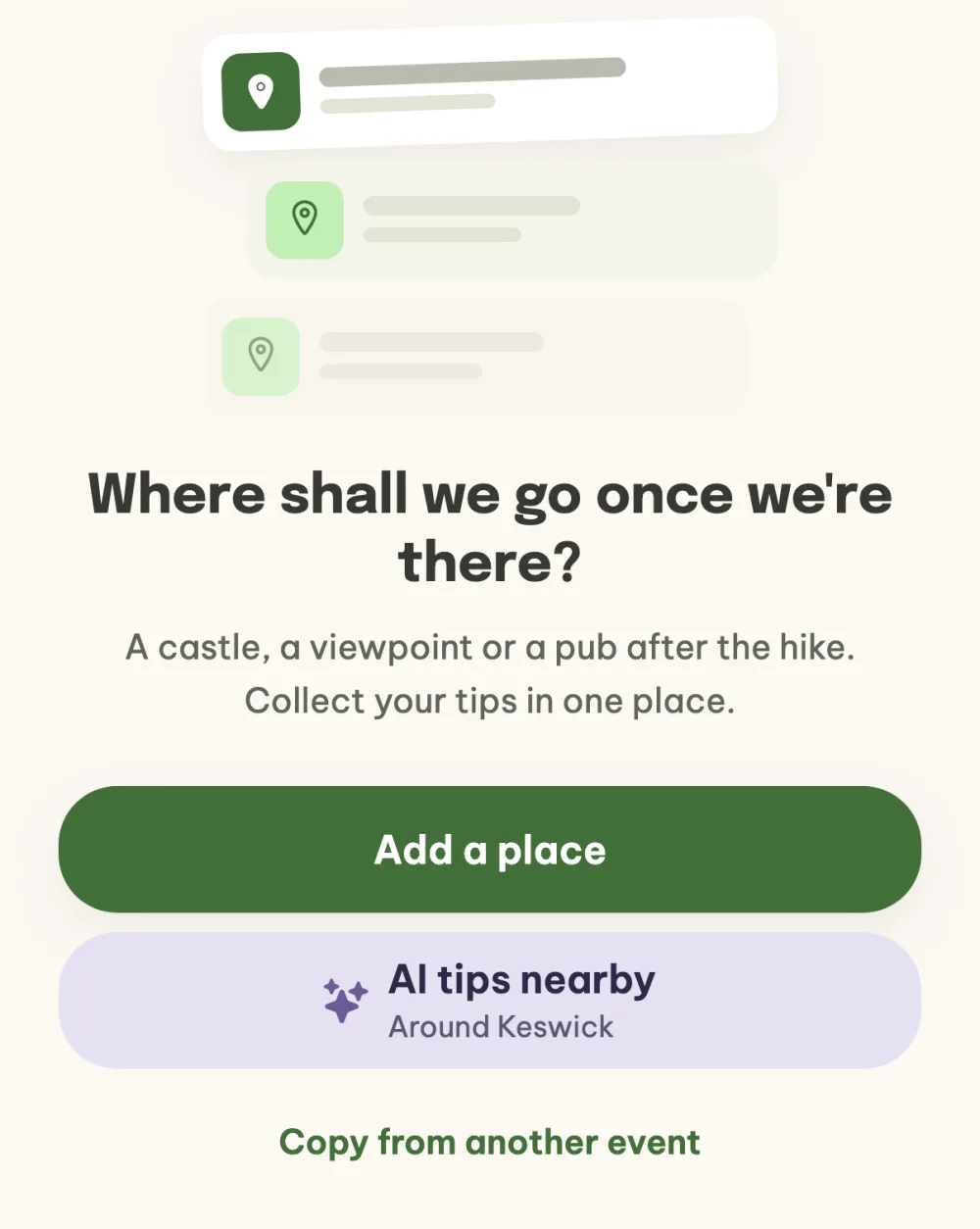
Open Points of interest. In the event details, tap the Points of interest tile in the What's next? panel. The empty list offers Add a place, AI tips nearby and, if you have tips from another event, Copy from another event too. As soon as the first place is in the list, a Points of interest card with the number of tips appears in the event details.
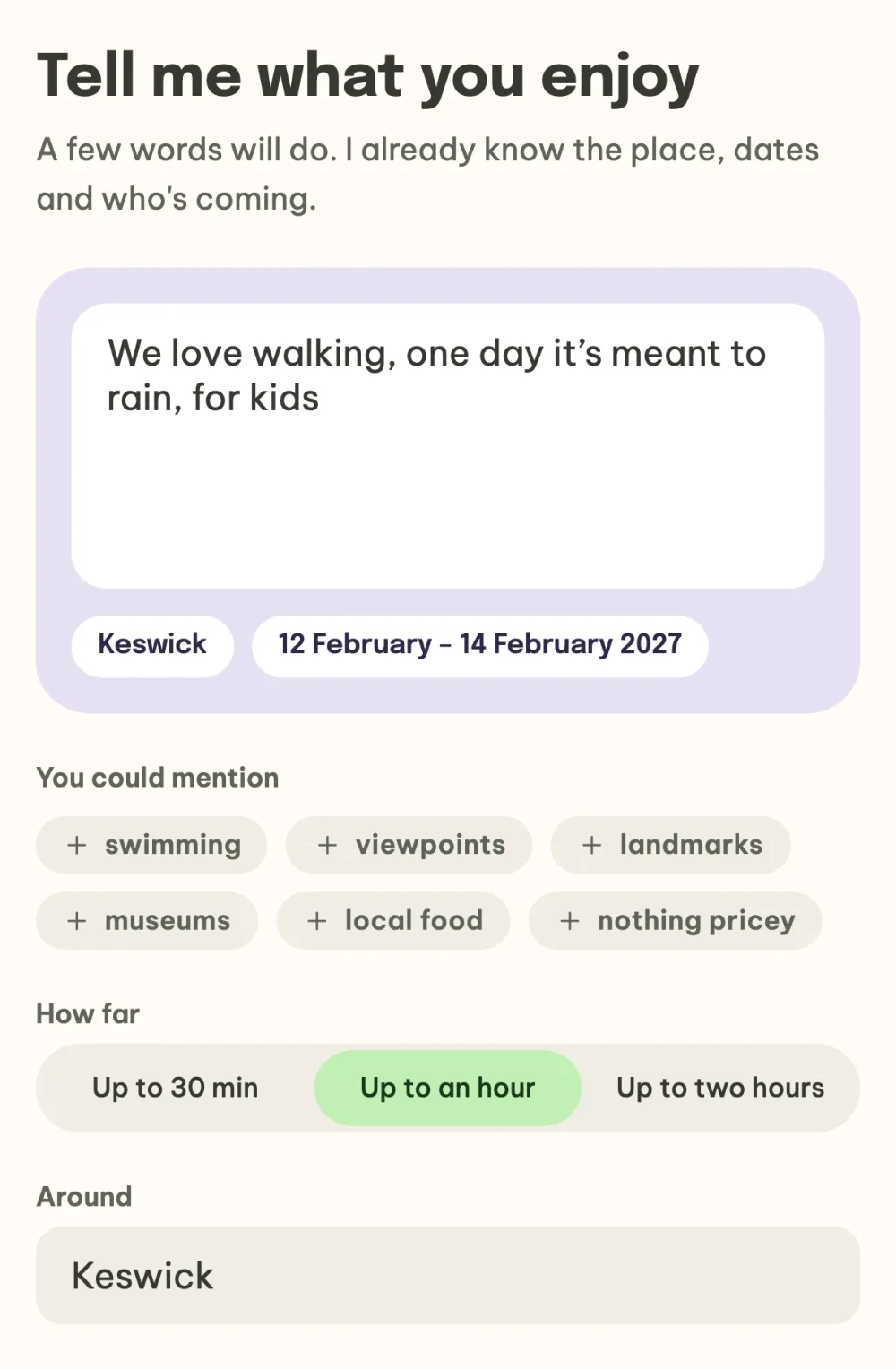
Ask AI for ideas. Under the heading Tell me what you enjoy, write a few words, for example that you love walking and one day it is meant to rain. Tap an idea under You could mention to add it to the text. Choose how far you are happy to travel and what to search around. The confirmed event location is filled in. Then tap Think of places.
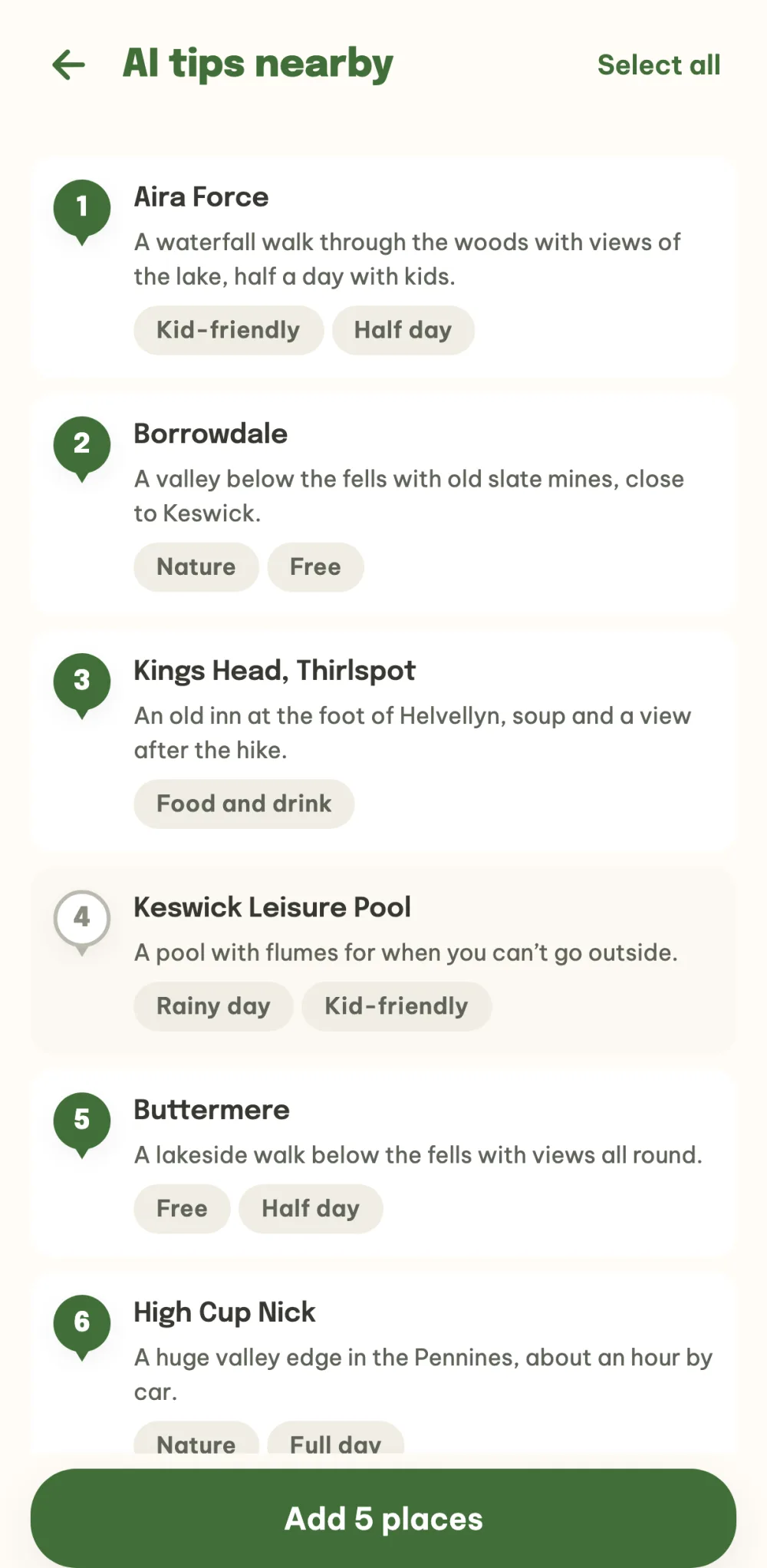
Pick from the suggestions. AI suggests nearby places, each with a short reason and tags. All of them are preselected, and a tap on a row switches the selection. The button at the bottom adds the selected places to the list, More options shows another batch and Refine takes you back to the prompt.
Browse the list with the map. Above the list is a map with numbered pins, and the rows below have the same numbers. Each place has a description and tags, so you see straight away why it is worth going. Tap the number to mark a place as We've been there.
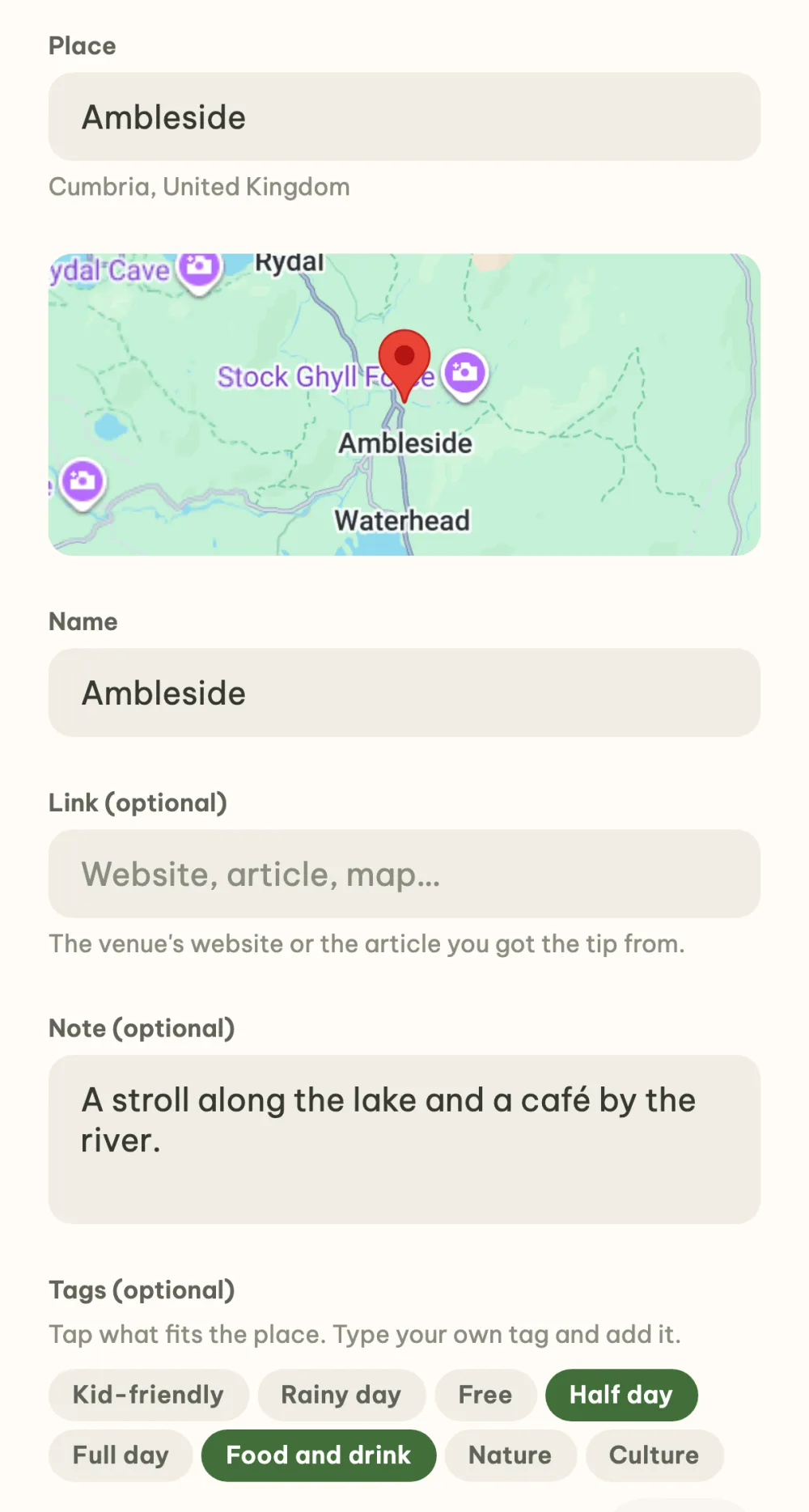
Add your own tip. The plus at the bottom right opens the form. Pick the place from the suggestions, the name fills itself in, and add a link, a note such as opening hours or admission, and tags. One place holds up to eight tags.
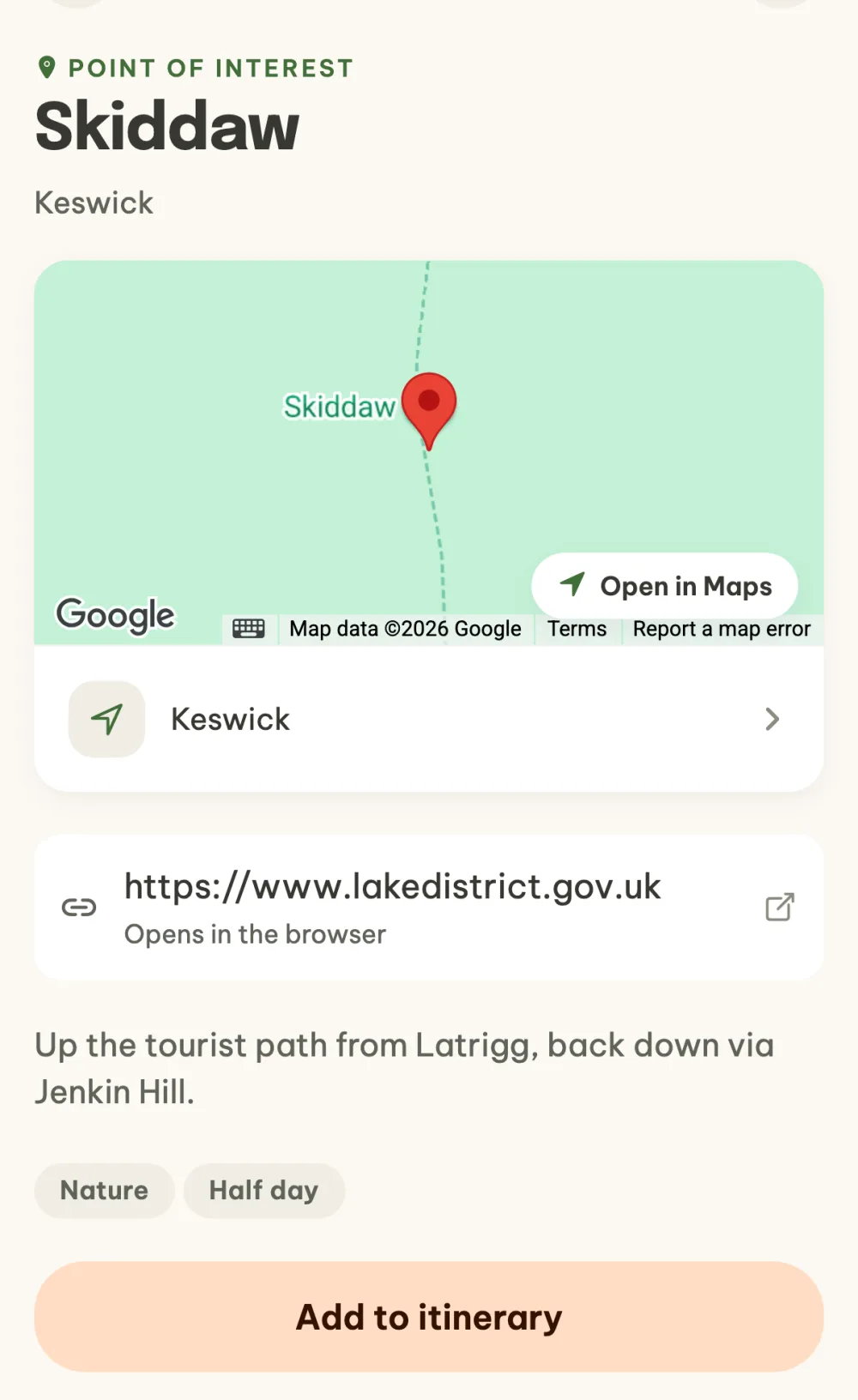
Open the details and head off. Tap a tip to open its details with the map, link, note and tags. The Open in Maps button shows the place in your navigation app. With the itinerary, Add to itinerary is at the bottom: you fill in the date and time and the tip appears on the timeline.
FAQ
How many AI tips can I ask for?
You get five free credits every day and one generation costs one credit. You can see how many you have left in Settings. Before the first use, the app asks for your consent and tells you what is sent.
What does AI know about the event?
The event's location and dates, the number of people and the children's ages without names, the event description, your prompt and the places already in your list. The suggestions are generated by AI and it can make mistakes, which is why you choose which places to add.
How do I copy tips from a past event?
In the menu under the three dots, choose Copy from another event and pick the event. The places are preselected, and the ones already in the event are tagged Already here. The Copy button adds them as new places, and a change in one event does not carry over to the other.
Who can edit tips?
Anyone in the event can add a tip. The person who added it and the organizer can edit or delete it, in the menu under the three dots in the place details.
Do we vote on tips?
No. Points of interest are a shared list of ideas you pick from once you are there. Where the whole event goes is chosen by a vote, as the guide How to choose where to go with friends shows.