 Vyrazíme
Planning a trip with friends: a shared Google Sheet or Vyrazíme
A shared Google Sheet or Doc can hold any trip plan. You build the structure your own way, send your friends the link and all write in it at once.
Vyrazíme is an app with a ready-made place for each part of a trip: voting on the date, the place and the accommodation, tasks, a rota, costs and an album. It reminds your friends of what needs doing by itself. It is free and your friends join through a link.

A Google Sheet and Vyrazíme side by side
| Google Sheet or Doc | Vyrazíme | |
|---|---|---|
| Structure | Anything, you build it yourself | Ready-made: date, place, accommodation, tasks, rota, costs, album |
| How a friend joins | By link, they can open the file without signing in to a Google account | By link, they fill in their name and email in the browser |
| Who can do what | Three roles: view only, comment or edit | Everyone adds suggestions, votes and tasks, the organizer confirms the winner |
| Writing at once | Yes, on up to 100 open tabs or devices | You write notes at once, tasks and the rota show up for the others straight away |
| Choosing the date and the place | Rows and columns you design yourself | Suggestions with votes, I can and I can't on a date |
| Notifications | An email or a browser notification about comments and edits, everyone sets it up for themselves | The app reminds people to vote, to confirm they are coming and of an assigned task, and sends a countdown before the event |
| Tasks | Rows in a sheet. Assigning tasks in comments is for work and school accounts | A task list with a name on each task |
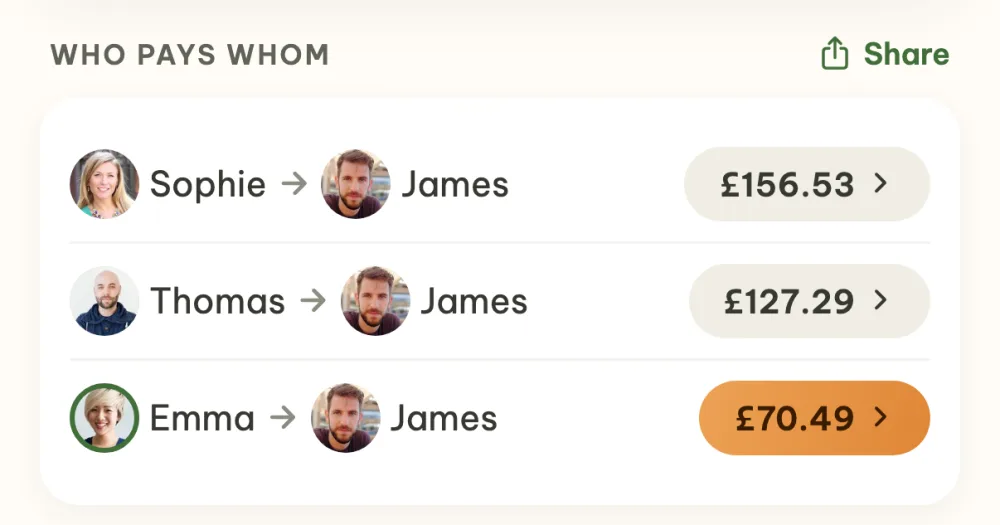
| Costs | Your own formulas | The app works out who sends how much to whom and shows the account number and a payment via Revolut |
| Without a connection | On a computer once you turn on offline mode | Needs a connection |
| Where it runs | Computer, Android, iPhone and iPad | iPhone, Android and a browser on your computer |
| What surrounds the plan | Comments and version history | The event chat, files for the trip, an album |
Where they differ
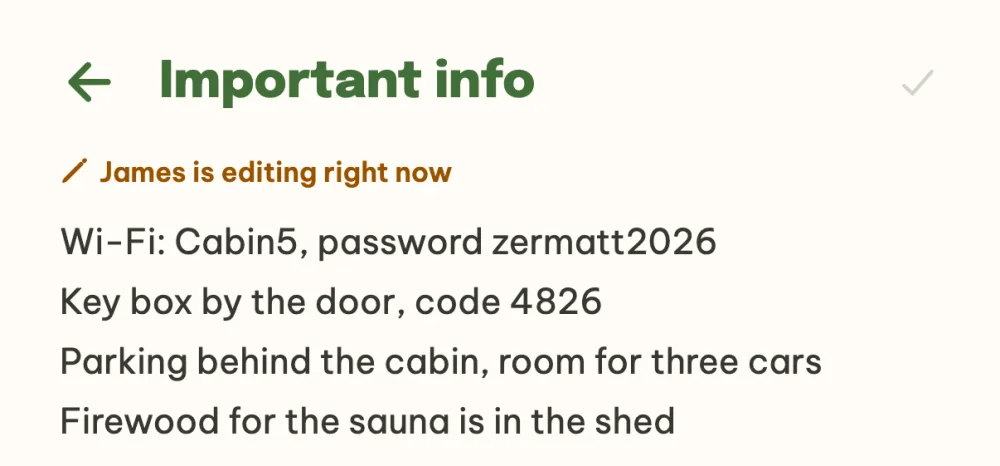
Structure. A sheet is a blank page. You design the columns, the tabs and the formulas exactly for your trip, and that is its strength. In Vyrazíme the structure is ready-made and each part of the trip has its own screen. Whatever doesn't fit any of them goes into a note. Notes have templates such as Important info or Who brings what, you all write in them at once and you see who is editing right now.
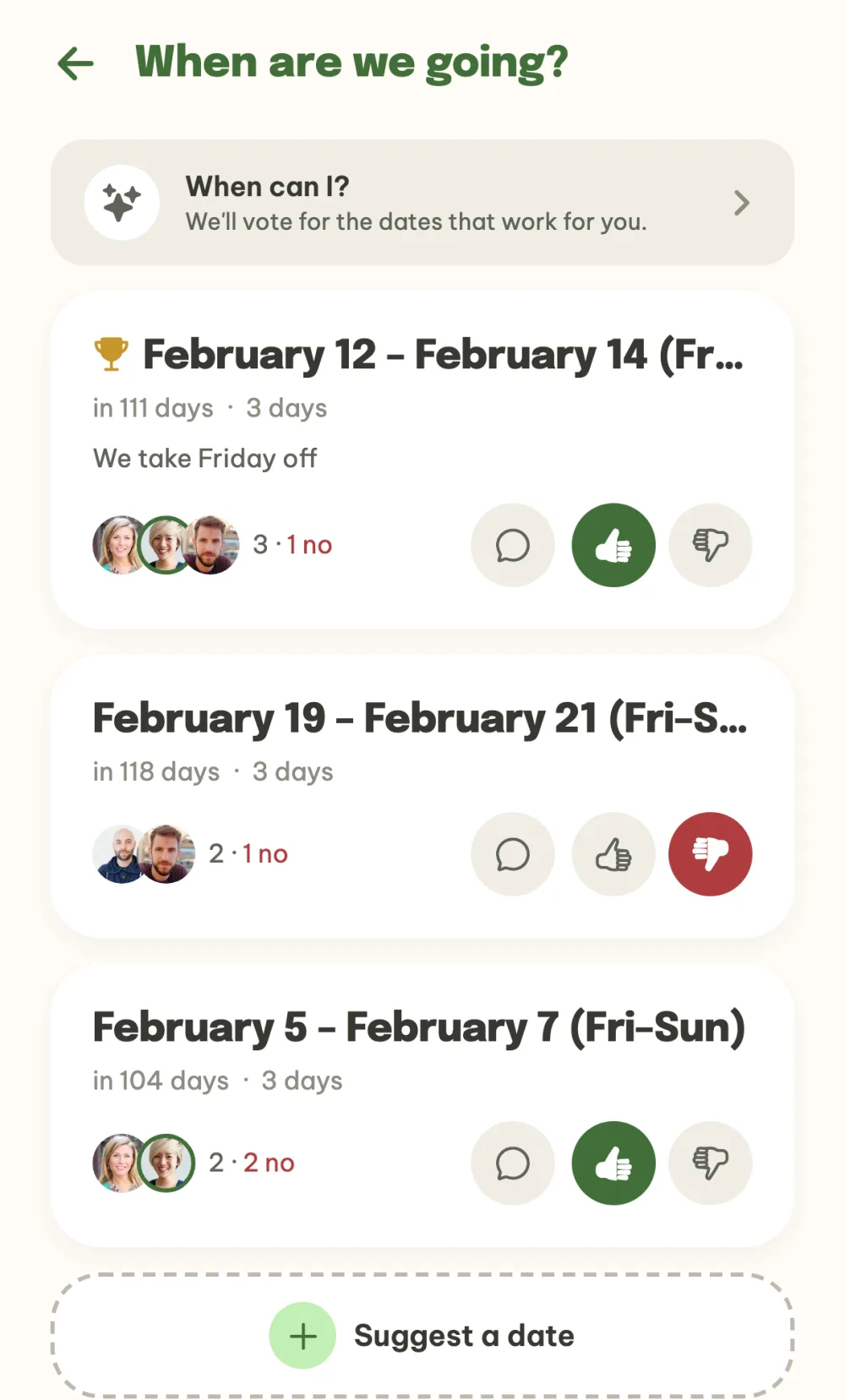
Deciding. In a sheet you build the voting yourself, for example a column for each date and a row for each friend. In Vyrazíme you suggest dates in a calendar and your friends tap I can or I can't on each one. On each date you see who can make it, who can't and who hasn't voted yet. You vote on the place and the accommodation the same way and the organizer confirms the winner.
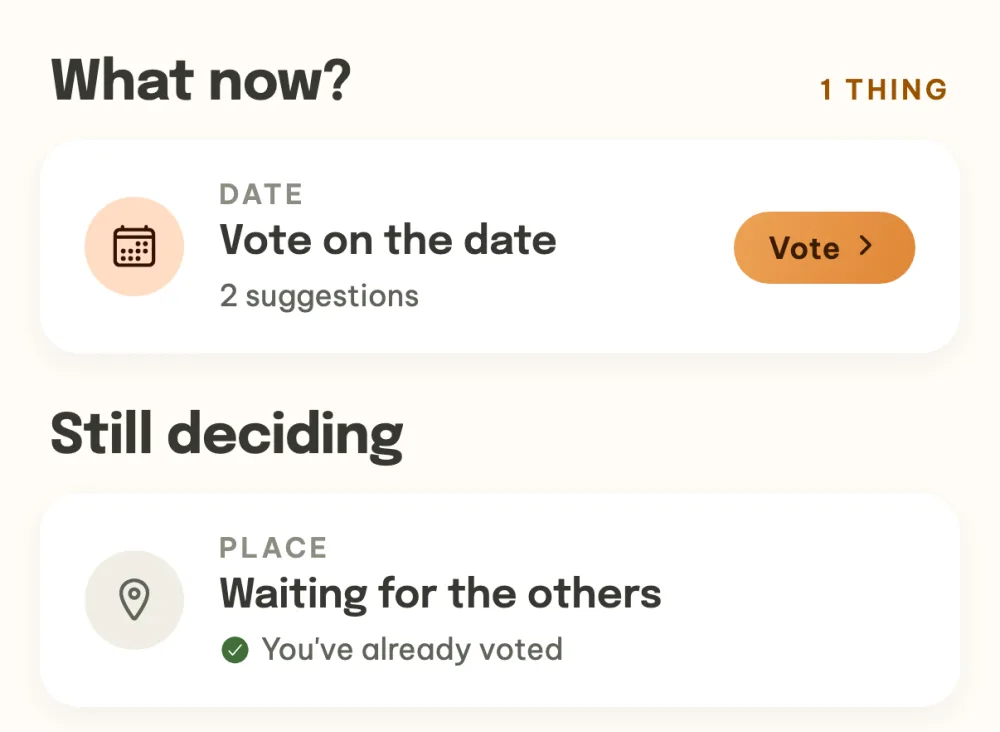
Who finds out what. Google sends an email or a browser notification about comments and edits. Everyone sets that up for themselves and separately for each file. Vyrazíme sends a notification to the phone of the person it concerns: whoever hasn't voted yet, whoever got a task, whoever sets off tomorrow. At the top of the event details everyone has the What now? panel with what is waiting for them.
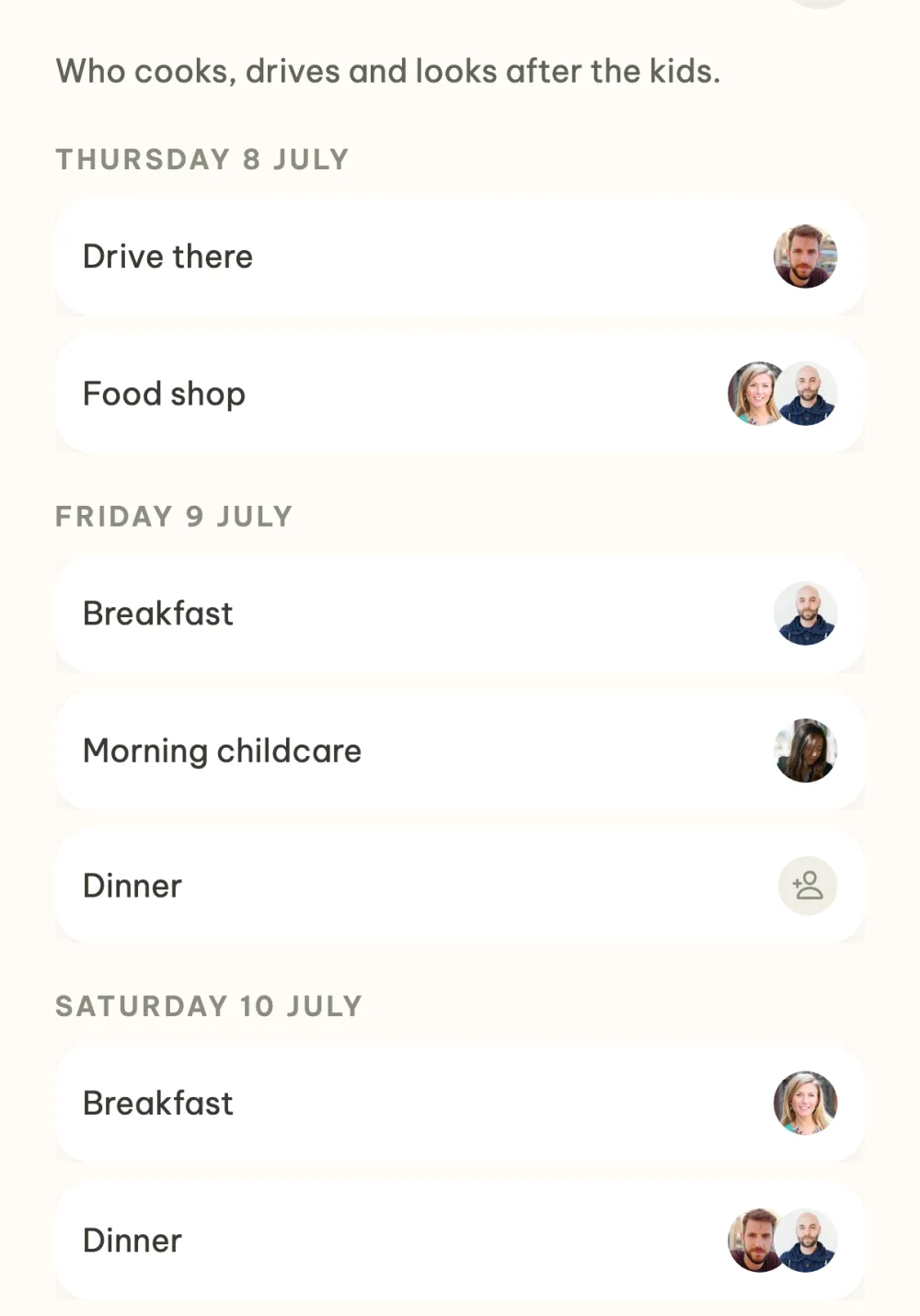
Who takes care of what. In a sheet a task is a row with a name. In Vyrazíme you assign a task to a friend and they get a notification on their phone. For duties there is a rota by day where everyone signs up themselves, and the event details show how many items are still free.
Money. In a sheet you work out the totals and the shares with your own formulas and split them however you need. In Vyrazíme everyone adds what they paid and the app works out the shortest list of payments. On each payment it shows the account number to copy and a payment via Revolut.
When to stay with a sheet
- You need your own structure, for example to compare accommodation options column by column.
- You calculate with your own formulas, for example unequal shares. Vyrazíme splits a cost equally between everyone or between selected people.
- You all know Google Sheets and Docs and have them to hand.
- You want to go back to older versions. Google keeps a version history and an older version can be restored.
- You write the plan yourself and want to send it to your friends just to read. That is what the view-only role is for.
- You work on a computer without a connection. Google has an offline mode.
When to reach for Vyrazíme
- You are choosing the date, the place or the accommodation and want to vote on them.
- You want the app to remind your friends to vote and of their tasks.
- After the trip you will be splitting the costs and want the app to work out who sends how much to whom.
- You want the chat and the photos from the trip next to the plan.
- You run a similar event every year. You duplicate last year's one with the same friends.
How to get started with a plan
- Create an event and send your friends the link.
- Add what you are planning. In the What's next? panel you choose accommodation, tasks, a rota, an itinerary or costs.
- Put the rest into a note. You paste the link to the sheet into a note in the event and your friends open it from the event details.
The guide The whole event on one screen shows what an event looks like from planning to album.
FAQ
Can we keep using the sheet next to Vyrazíme?
Yes. You paste the link to the sheet into a note in the event and your friends open it from the event details. The sheet stays for calculations and comparing, while the voting, the tasks and the settle-up run in Vyrazíme.
Do my friends need the app?
No. The event link opens in the browser at vyrazime.app, your friend fills in their name and email and is in the event. If they have the app, the link opens straight in it.
Does Vyrazíme have custom columns or formulas?
No. For free text there are notes that you all write in at once, and for a question with options there is a poll. A sheet handles your own structure and calculations better.
Does Vyrazíme have a day-by-day travel plan?
Yes. The itinerary is a day-by-day timeline with journeys, overnight stays and trips, and a map of the whole route. You can attach a ticket or a booking confirmation to an item.
Is Vyrazíme really free?
Yes, the whole planning is free, with no subscription and no ads. Only two things are limited: the AI features to five uses a day and the album to 100 photos.
We checked the details about Google Sheets and Google Docs on 13 November 2026 in Google's help pages.